
Lite
Selected plan$9.50/person · month
$10.005% off
Tax is calculated at checkout.
- Monthly 800 credits
- GenToon logo on generated images

Teachers and learners: 10 people or more, creating and saving together.
Price per person · 1 month
$10.005% off
Tax is calculated at checkout.
$19.005% off
Tax is calculated at checkout.
$39.005% off
Tax is calculated at checkout.
Include teachers in the purchase count. Buy 10~100 passes for the same plan and duration.
Enter the combined number of teachers and learners as a whole number from 10~100 people.
1 month: 5% · 2 months: 10% · +1 percentage point per extra month · 12 months: 20%
Access starts when the code is redeemed. Months 1–11 are 30 days each; a 12-month pass lasts 365 days.
Teachers use the same paid passes. One code is issued for each purchased pass.
Your current discount
5% off
−$5.00Total savings
Duration discount 5% + volume discount 0 pp
Monthly average per person: $9.50 · Pay once for the full selected period.
One-time payment · No automatic renewal
Redeem new codes within 3 months of purchase.
Check the redemption deadline on the confirmation page and in the spreadsheet. The access period after redemption is separate.
Teachers distribute the passes; learners redeem them in their own accounts and start creating. Click an image to enlarge it.
Teachers and organizers
Education pricing: choose Lite, Starter or Pro, then enter the total teachers and learners and a duration of 1–12 months. Each order contains 10~100 paid passes. You may place additional orders as needed. Teachers buy the same paid passes and count toward the total. Check the subtotal after duration and volume discounts. Before payment, download a JPG or PDF quote for your organization’s approval.
After payment, a unique code is issued for each purchased pass. Assign one purchased code to each teacher too. On the confirmation page, select Download pass spreadsheet. You can also download it later from My education passes.
For a Korean virtual-account payment, codes are issued after the deposit is confirmed. Check the payment status on your confirmation page.
Assign the spreadsheet’s Code individually to teachers and learners. Send the assigned code together with the redemption guide below.
Redeem new codes within 3 months of purchase. Check each actual deadline on the confirmation page or spreadsheet. The access period after redemption is separate. One code can be redeemed once by one person, so everyone needs a different code.
Learners and participants
GenToon sign-in page: use a supported Google, Apple or Kakao account. If email-code sign-in is offered, you can use that option. Your first successful sign-in creates your account.

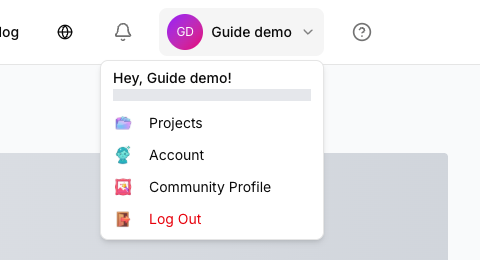
After signing in, open your Profile and go to Account → Subscription. You can also select Redeem a code below to go directly there.
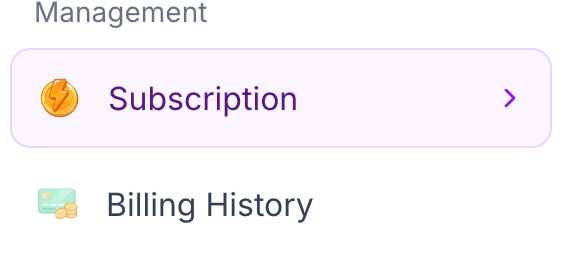
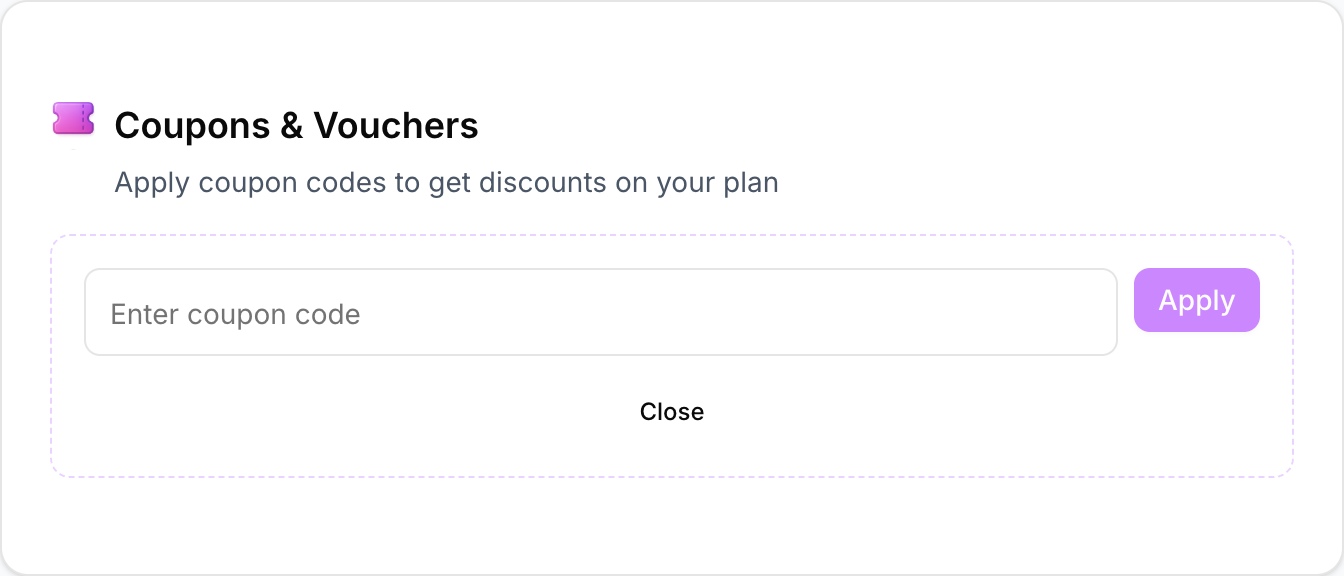
In Subscription settings, find Coupons & Vouchers and select Open Coupon Box. Paste your own code from your teacher and select Apply. Teachers redeem their own assigned code in their own account.
A first redemption starts the purchased access period. Months 1–11 are 30 days each; 12 months is 365 days. An active identical plan is extended from its current end date. Contact support before redeeming if a different paid plan is active.
GenToon Studio: choose Beginner mode and describe your story. If an image-model choice is shown, choose Standard. One Standard-model image panel costs 13 credits.
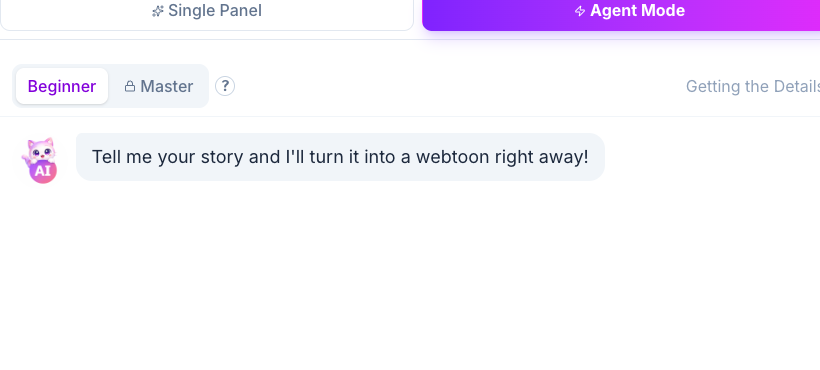

Creating characters and changing styles can also use credits, so actual panel counts depend on how you use the tool.
Teachers and learners use the same paid passes. Larger orders add a volume discount to the duration discount. Buying together costs less per person than splitting the order.
Your current discount
5% off
−$5.00Total savings
Duration discount 5% + volume discount 0 pp
After payment, download the codes for your teachers and learners.
Teachers and learners each redeem one purchased code.
Sign in → Profile → Subscription → Redeem code.
Open the coupon box, enter your code and select Apply.
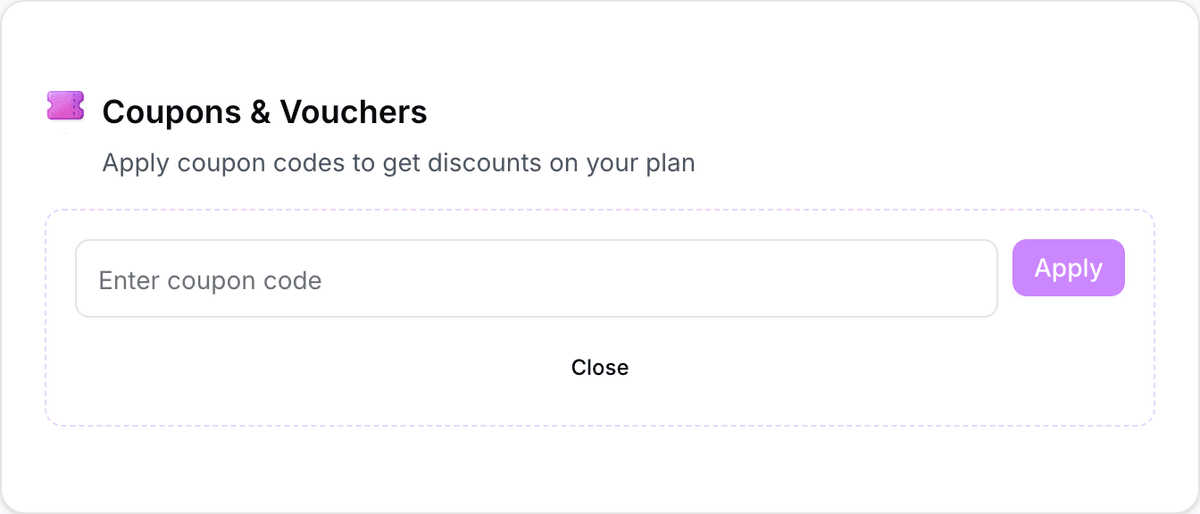
Actual GenToon code redemption screen · Profile → Subscription → Coupons/passes
Redeem new codes within 3 months of purchase. Redeeming starts the purchased access period. If the same paid plan is active, the period extends from its current end date. Contact support before redeeming while another paid plan is active.
At 13 credits per Standard-mode panel, the estimated maximums are Lite: up to 61 panels · Starter: up to 153 panels · Pro: up to 384 panels. Creating characters or changing styles uses credits and reduces the actual number of panels. Background limits per world are Lite: 6 · Starter: 7 · Pro: 15. Plan credits renew each month.
No. Distribute new codes for your classes so they are redeemed within 3 months of purchase. Each person’s access starts when they redeem their code, and plan credits renew monthly.
Buy additional passes from the education pricing page in batches of at least 10. Unredeemed codes can be used in a later class before their deadline. You can download the spreadsheet again from your order history.
No. They redeem the code supplied by their teacher under Coupons/passes in their own GenToon account.
The same plan extends from its current end date. Codes for a different active paid plan are restricted to avoid applying the wrong plan; contact support first.
Yes. Teachers buy the same paid passes and count toward the total. One code is issued per purchased pass, and larger combined groups receive an additional volume discount.
Download a JPG or PDF before purchasing. Taxes for USD purchases are calculated at checkout.
Find your order statement, code spreadsheet and payment receipt in your order history.
View my orders →Tell us which supplier or institutional documents you need.
Quotes and order statements are not tax invoices. Check your organization’s requirements before payment. Payment terms · Privacy policy
GenToon provides passes and creation tools for learner-made AI comics in classes run by your own teacher or organization.
Give each learner one code so they can prepare their own story and characters and create panels in their own account.
Choose the participant count and access duration, then distribute individual codes from the downloaded spreadsheet.
Give each participating teacher their own code so they can redeem it and create a comic themselves.
Prepare a batch of passes and distribute unredeemed codes for your workshop schedule, before each code’s deadline.
