AI comic tools in 2026: use four panels to choose your workflow

GenToon
Oct 12, 2026 · 5 min read
An example comic created with GenToon AI.
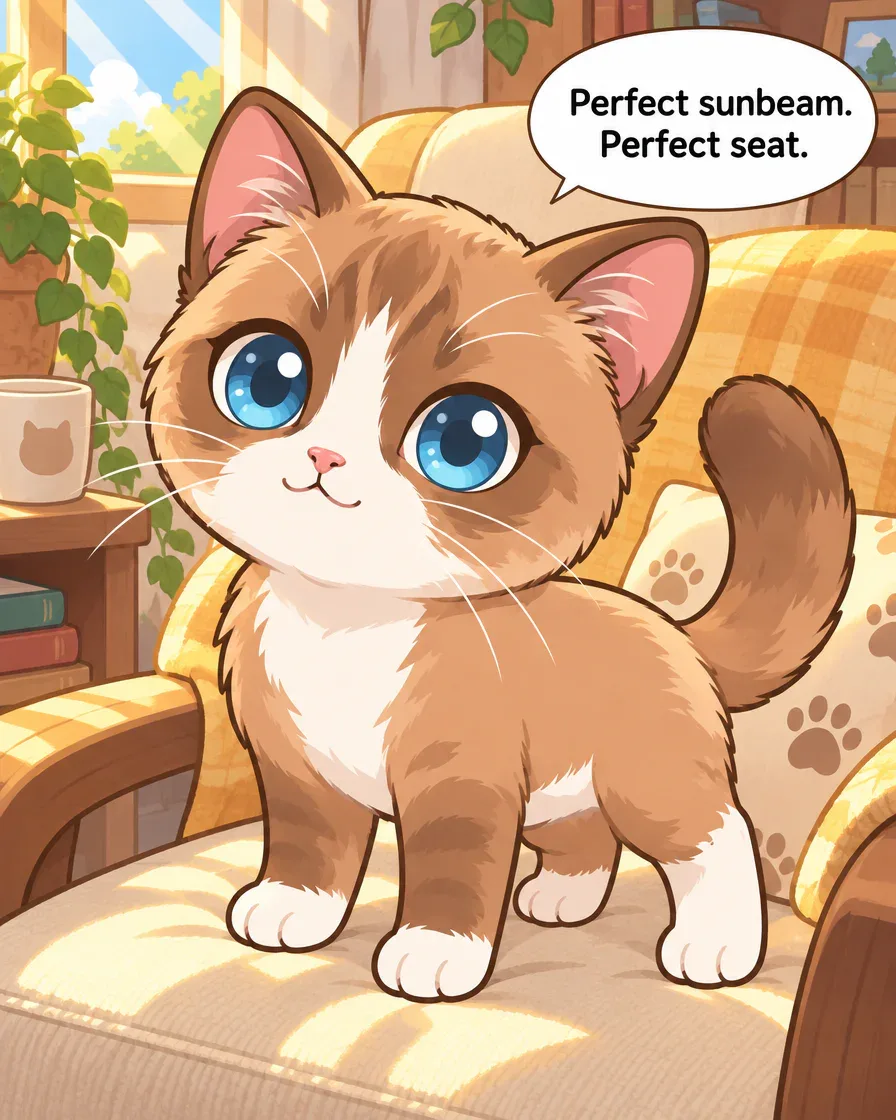
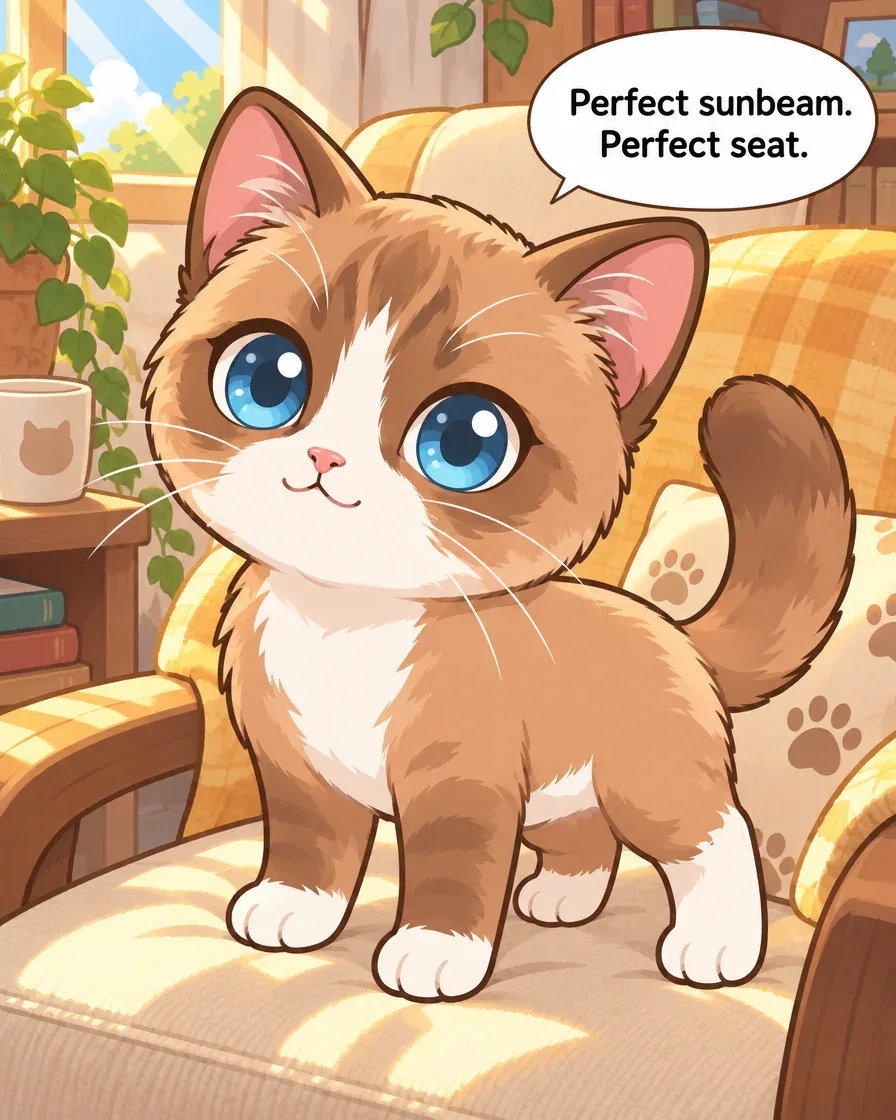
Panel 1Panel 1 of the existing GenToon example. The sunny chair and “Perfect sunbeam. Perfect seat.” show what Browny wants.
Create webtoons and chat with people.
Four GenToon panels turn character, dialogue and movement into concrete checks. Official product pages supply feature context; the other tools were not run with this scene.
A four-panel story starts with one sunny seat
Browny’s sunny chair, snack distraction, dash and changed seat form an existing four-panel English GenToon example. These originals keep their location and movement differences; no new correction was generated for this guide.
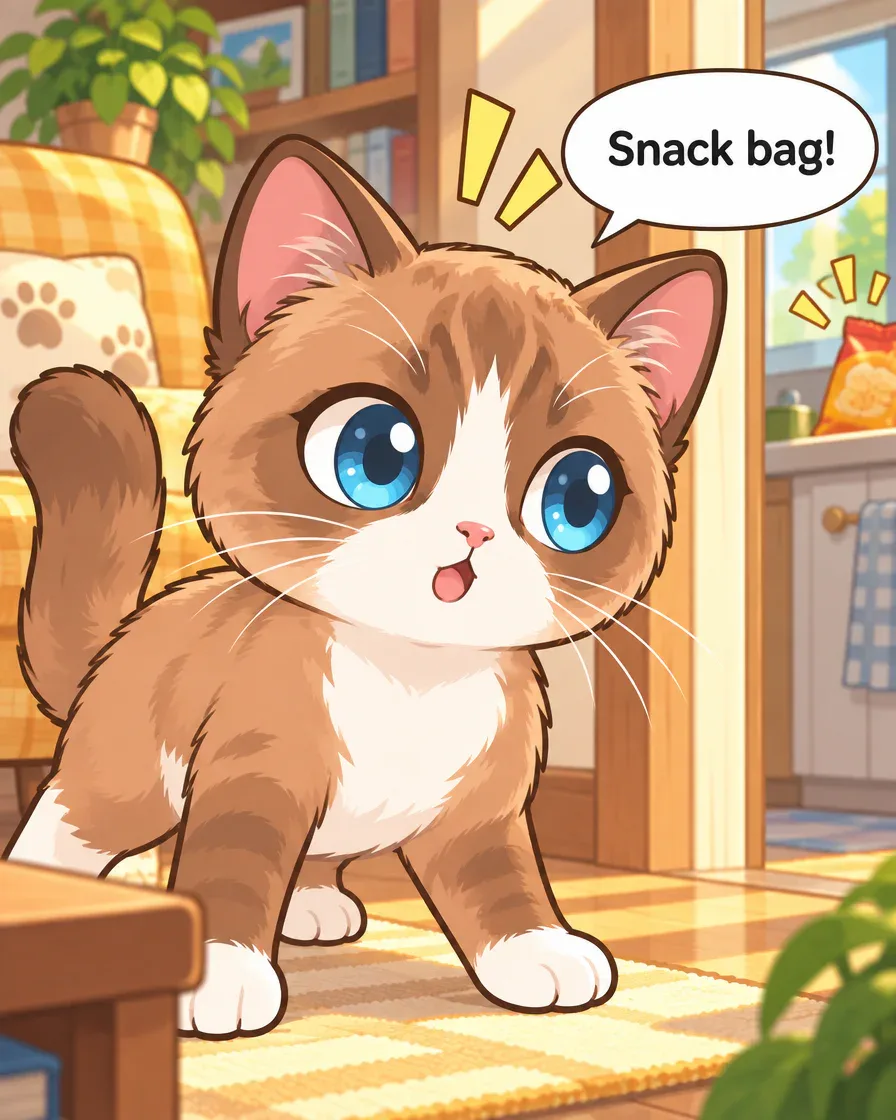
Panel 2Panel 2, unchanged. The bag and kitchen are already visible during “Snack bag!”; check that early location cue against the request. 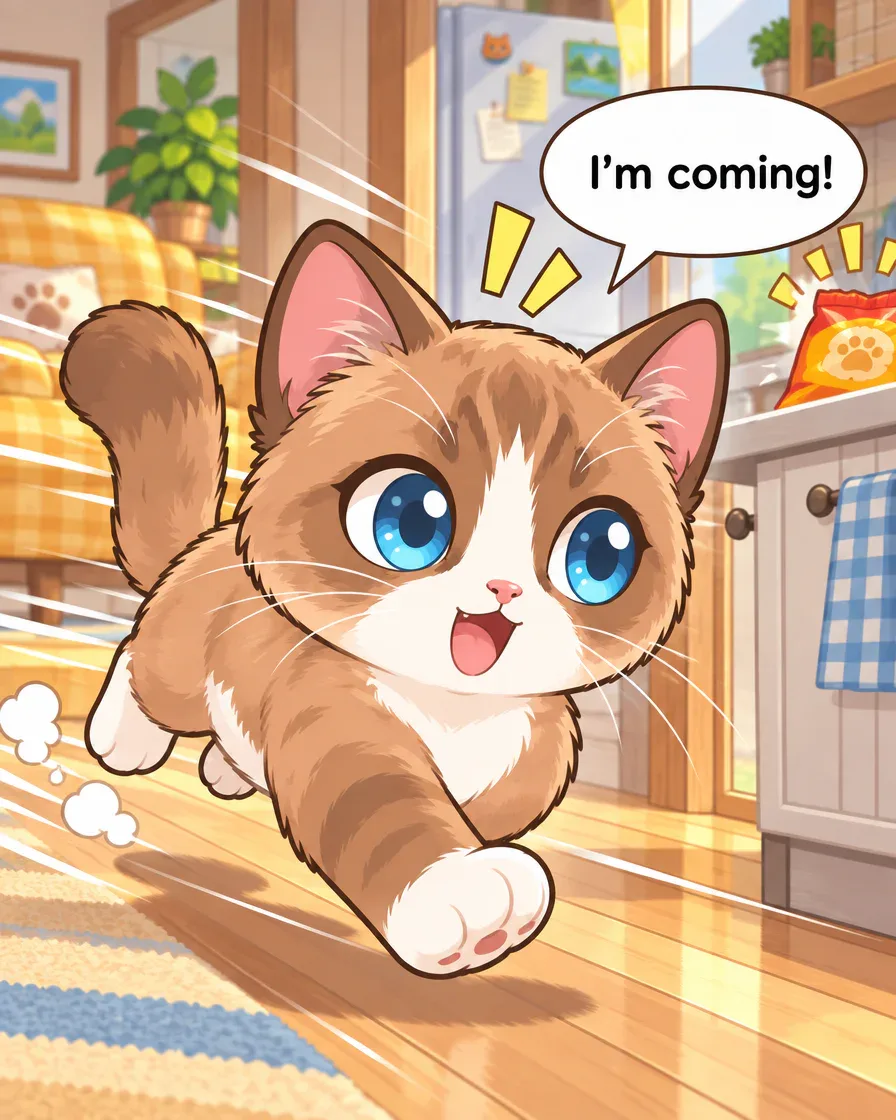
Panel 3Panel 3, unchanged. The cat runs toward the foreground with the kitchen behind it. This is not a clear view of entering the kitchen. 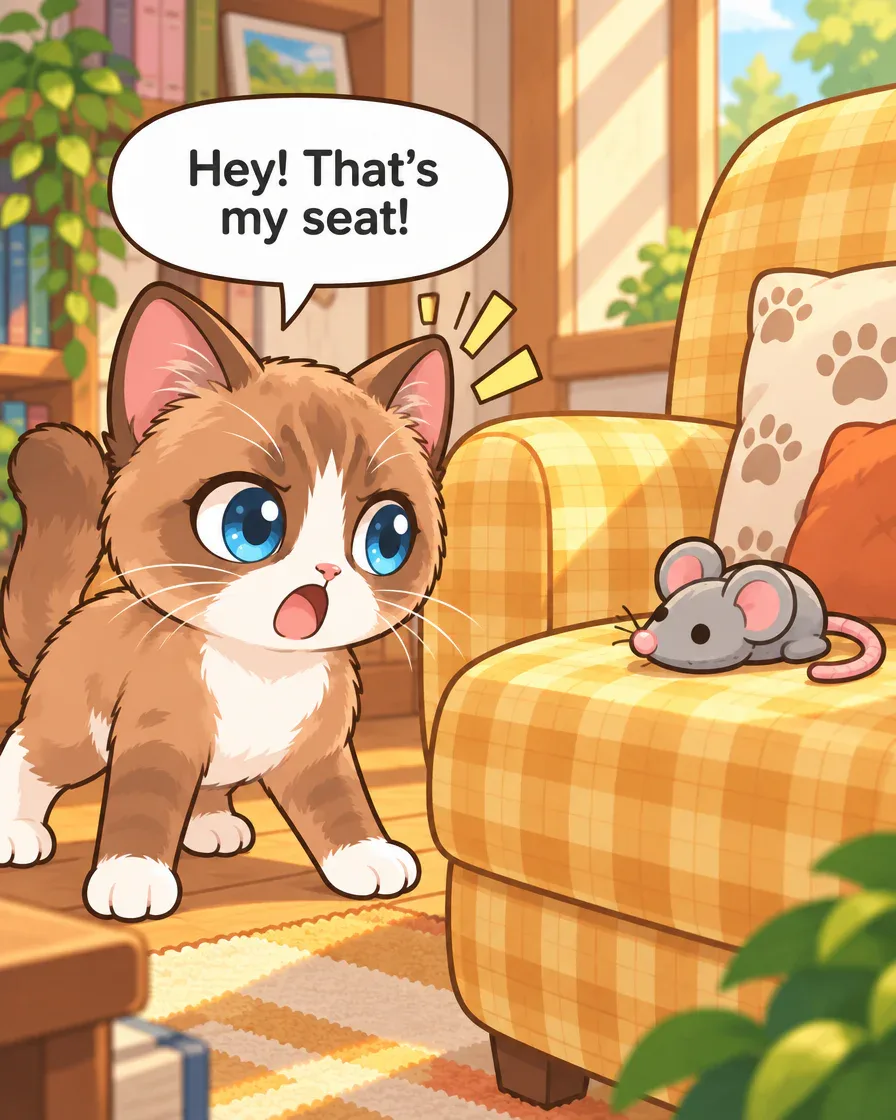
Panel 4Panel 4, unchanged. A mouse-shaped toy occupies the chair and Browny reacts. No person placing it or live mouse stealing the seat is shown.
Request for your own version
The request below is adapted for your own version. It is different from the request used to create this example.
Original request used for this example
Make a four-panel comic with Browny Blog Cat: he guards a sunny chair, hears a snack bag, dashes to the kitchen, then returns to find a toy in his seat. Short English speech bubbles.
Make four English panels: my character claims a favorite seat, gets distracted, rushes away, then returns to a surprise.
Art style used: Chibi
How this example was made
- Prepare one small scene
Use your own character and give the plan four visible jobs. The blog link prepares editable text without sending it.
- Read the plan and displayed cost
Check the chosen character, actions, dialogue language and quality. Review the current cost before launching images.
- Read the result before sharing
Compare the character, place, movement and ending. Choose one specific correction or decide what to keep, then review your save or publishing options.
Inspired to tell your own story?
Create webtoons and chat with people.
Quick answer
- Choose an AI comic workflow by reading a full small sequence: character, actions, dialogue, corrections and final output.
- The GenToon pictures here are an actual existing English example.
- The Canva, Firefly and Dashtoon notes come from current official pages, not a shared generation test or a ranked contest.
The sunny chair, the snack bag and the toy give this GenToon comic a clear setup and surprise. The dash in between is less clear. That makes it a useful example for checking what a comic workflow needs to support.
Our three starter guides share these existing English panels. This article uses them to define selection criteria, alongside official pages checked on 11 October 2026. We did not run the scene in the other tools.
Read four panels as one finished task
The cat’s goal is visible in “Perfect sunbeam. Perfect seat.” The ending returns to the yellow chair with a toy on it. Between those moments, you can inspect the same cat, the short English bubbles and the movement that links the scenes.
Use a similarly small scene to decide what you need from a tool. You may care most about arranging images, choosing a consistent cast, changing one panel or preparing an output to share. Name the task before comparing feature lists.
Separate official features from an actual result
Canva’s image page describes prompt and reference-image creation, style choices and prompt-based editing. Its comic-strip guide describes grids, imported images and speech elements. These are documented steps for creating and arranging material, not a test of this Browny script.[1][2]
Adobe’s Firefly comic guide describes prompts, reference guidance and composition controls, followed by review and layout options through Boards, Express or Photoshop. We did not generate our scene in Firefly or verify the result on a particular account.[3]
Dashtoon’s current creation page states that Studio closed on 15 August 2026. It directs visitors to Frameo for video and short drama. Treat an old Studio tutorial accordingly; the notice does not demonstrate an equivalent current comic workflow.[4]
| Reference | What is documented | What to inspect for your project |
|---|---|---|
| Canva image and comic guides | Image creation, editing and grid/text assembly | How your panels, dialogue and final layout fit together |
| Adobe Firefly comic guide | Prompt/reference guidance and a path into review/layout | Which controls and output steps your account/model supplies |
| Dashtoon creation notice | Studio closure and a different video destination | Current availability before relying on an old guide |
Keep the task small enough to evaluate
The actual GenToon example used this request. It gives you a concrete reference for four actions and short English dialogue:
Make a four-panel comic with Browny Blog Cat: he guards a sunny chair, hears a snack bag, dashes to the kitchen, then returns to find a toy in his seat. Short English speech bubbles.
If you try another tool, keep the intended events and your own character reference consistent. Record which operations you actually performed and read all four results. An official feature description, an output you generated and a conclusion about quality are different kinds of evidence.
Use visible character details as checkpoints
Browny’s large blue eyes, white muzzle and paws remain useful checkpoints across the sequence. The existing example carries the Chibi label; its rounded forms emphasize reactions. The images still need to be examined for changes in face shape and body proportions.
For your own task, choose a few features that matter to the story. Can you recognize the character after a pose change? Does the tool give you a reference or cast-selection step you can review? Our cat images show this GenToon example; they do not establish a cross-tool consistency ranking.
Read the dialogue against the action
“Snack bag!” makes the reaction legible, but the kitchen is already visible in panel 2. In panel 3, “I’m coming!” accompanies a cat running toward the foreground with the kitchen behind it. The movement is not an exact match for the requested dash to the kitchen.
This is a useful selection criterion: can you identify and target a confusing transition? Check whether you can revise a scene description, change one image or adjust lettering in the workflow you are considering. No new correction is presented here.
Check the steps that come after a good image
Before choosing a paid plan, inspect the output format you need, the available edit controls and the cost shown for your actual operation. For GenToon, check the current pricing information and the Studio’s quality/cost choice. We do not infer today’s allowance from this older source.
Canva’s FAQ conditions commercial use on its terms and does not guarantee rights clearance. Adobe’s page asks users to check external assets and model/source rights. These product conditions are part of the workflow; they are not a clearance decision for a particular image.[1][3]
Make a short checklist for your chosen tool: readable dialogue, recognizable character, clear action, a manageable correction and an output you can use. Keep current account limits, model-specific costs and results you have not tested marked as unknown.
Try your own scene with the same reading questions
You can adapt this separate practice request in GenToon. It has not been run for the displayed images, and it does not add Browny to your account:
Make four English panels: my character claims a favorite seat, gets distracted, rushes away, then returns to a surprise.
Open Studio, edit the prepared text, sign in if needed and inspect the selected character, plan, quality and displayed cost before sending it. Read each resulting panel against the task you chose.
Then decide what needs another pass and what you want to keep. You can also read community comics for different styles and story rhythms. The creation guide connects these same four images to a first-project walkthrough.
Frequently asked questions
Did you generate the same script in every tool?
No. The GenToon images are an actual existing English source. The competitor notes describe official pages checked for this guide. They are not matching paid tests or evidence of a winning tool.
Is Dashtoon Studio still available?
Its official creation page states that Studio closed on 15 August 2026 and points to Frameo for video and short drama. Use the current notice when evaluating an older Studio guide.
Does one good panel prove a tool can finish my comic?
Read the whole small sequence. Check the character, dialogue, scene transitions, correction steps and usable output. A single panel does not answer all those questions.
Which tool gives the best value or largest free allowance?
We have not verified account-specific prices, quotas or comparable generation outcomes. Inspect the current model/account terms and the cost for the operations your project needs before deciding.
Sources
- Canva · Canva AI Image Generator (canva.com · accessed Oct 11, 2026)
- Canva · Canva Comic Strip Maker (canva.com · accessed Oct 11, 2026)
- Adobe · Adobe Firefly AI Comic Generator (adobe.com · accessed Oct 11, 2026)
- Dashtoon · Dashtoon Studio closure notice (dashtoon.com · accessed Oct 11, 2026)