


4-Panel Comic Maker
Turn one idea into a 4-panel comic with AI
One line of an idea is all it takes. No drawing skill required · GenToon's AI builds a four-panel comic with a real setup, twist, and punchline. Perfect for Instagram daily-life strips, gag comics, and quick shareable laughs.



Just type. Done. · Make AI Webtoons with GenNyang
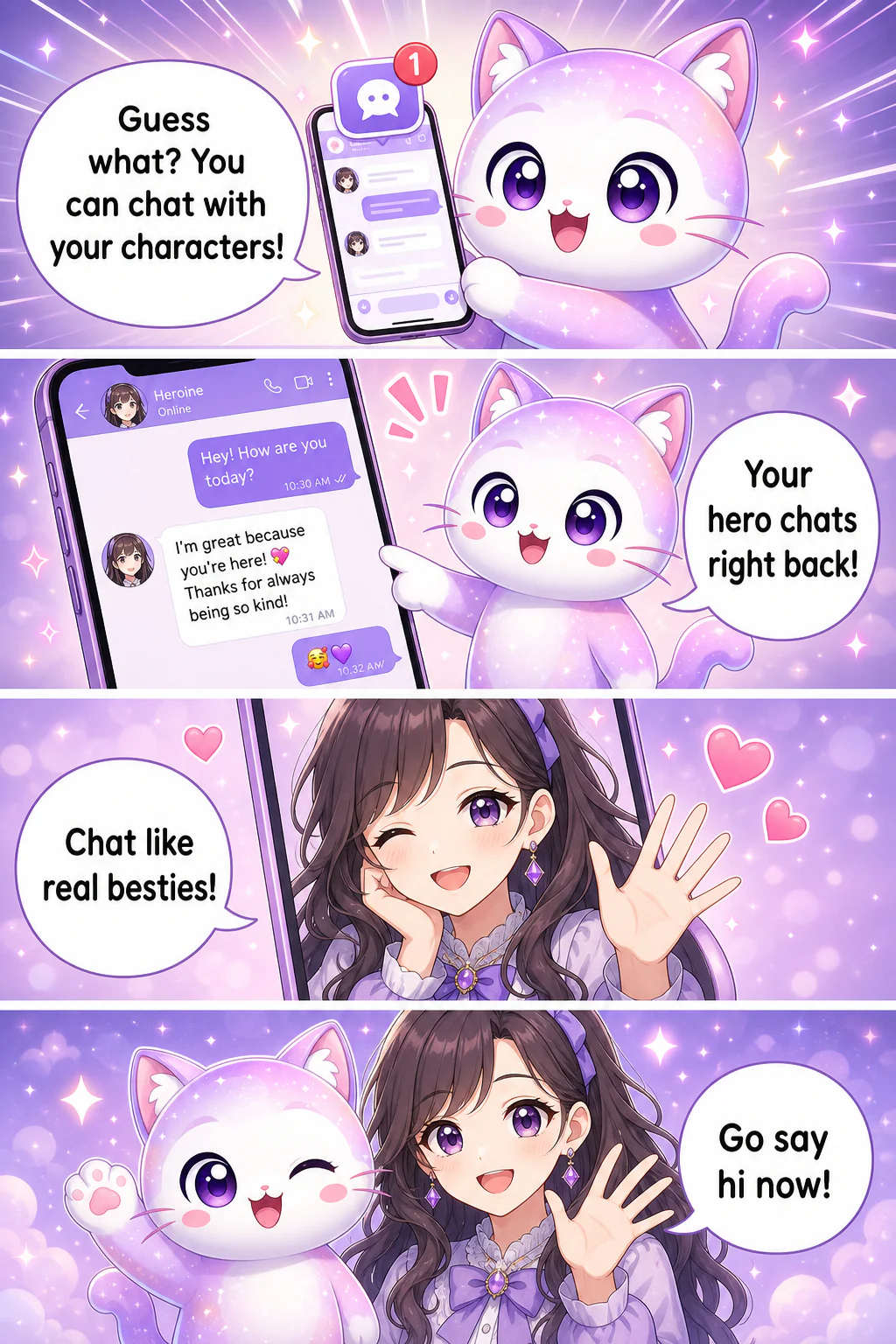
- Guess what? You can chat with your characters!
- Your hero chats right back!
- Chat like real besties!
- Go say hi now!
No pen, no problem · a full strip in four panels
Why GenToon nails the four-panel format
Fast, funny, and results you're proud to post · features built specifically for the four-panel rhythm.
🎯 Four panels from one idea
Type your idea, hit generate, done. The AI handles panel breaks, composition, and dialogue placement for a full strip. No all-nighters storyboarding.
🎭 A recurring cast for your strip
Saved character references guide later panel generation. Reuse the cast and art style, then review faces, outfits and poses; generated results can vary. Redraws use credits.
😆 Setup-to-punchline, built in
A four-panel strip lives or dies on that last-panel twist. Give the AI a situation and it arranges the beats · setup, build, turn, punchline · like a comic editor who knows exactly when to land the joke.
🎨 Pick the style that fits
From soft pastel slice-of-life to bold, thick-line gag art, choose from multiple styles to match your story. The same script feels completely different depending on the look you pick.
📱 On web and on your phone
Sit down at your computer or knock one out on the train · your call. Web and the mobile app are linked to your account, so start on one and finish on the other.
💬 Your characters keep living
Chat with the characters from your strip, raise them as your own OCs, even turn them into merch. A character you make once keeps showing up far beyond the comic.
How to make a strip · three steps
No complicated setup. Bring the idea; GenToon handles the rest.
- 01
1. Write your idea
Whatever happened today, a joke that popped into your head, a scene you want to stage · just type it. "Fell asleep on the train and missed my stop". is plenty. You can also add a photo to build a character.
- 02
2. Choose a style
Pick the look that fits your story from multiple drawing styles. Cute, gag, or moody · the same script becomes a totally different strip depending on the style you choose.
- 03
3. Finish and share
Once the AI draws all four panels, tweak the dialogue and save. Post it to Instagram or X, or send it to a friend. Don't love one panel? Regenerate just that one.
Strips worth making
Short and punchy fits anywhere · from everyday moments to promotion.
Instagram daily-life strips
Turn today's small moment into four panels. An ordinary day that would fall flat as text hits different as a comic · and if you post consistently, you've got your own slice-of-life account.
Gag & meme strips
That group-chat bit, teasing a friend, a trending meme parody: build a gag strip that lands the laugh in the final panel.
Student projects & presentations
Drop a four-panel comic into a slide deck or assignment and eyes snap to it. A historical event or science concept explained in four panels is easier to grasp · and scores better.
Pet & parenting diaries
Capture your dog's weirdness or your kid's one-liners in four panels. It becomes a comic diary that sticks in memory longer than any photo roll.
Shop & brand promotion
Announce a new menu item or event as a four-panel comic instead of a stiff notice. It reads easy, shares well, and is perfect for a small business's social feed.
Why start your four-panel comic with GenToon
How pricing works
Generation, new character images and redraws use credits. See /en/pricing for current allowances, prices and plan limits; the number of finished panels depends on your choices and revisions. Review /en/terms for purchase and refund conditions.
See full pricingFrequently asked questions
Do I really need zero drawing skill?▾
Zero, genuinely. GenToon is built on the assumption you can't draw at all. Just write out what happened today or the scene you want, and the AI draws all four panels. No pen, no drawing app · none of it.
How long does one strip take?▾
Drawing time depends on the art style and how busy the servers are at that moment. Enter your idea, pick a style, hit generate, and the AI starts drawing all four panels · a short wait later, it's done. By hand, the same work would have taken hours.
Can I really start for free?▾
You can start with the Free plan without a credit card. Generation, new character images and redraws use credits, so finished output depends on your model choice and revisions. See /en/pricing for the current allowance and plan limits.
Won't the character's face change between panels?▾
Saved character references guide later panel generation. Reuse the cast and art style, then review faces, outfits and poses; generated results can vary. Redraws use credits.
Who owns the copyright to what I make?▾
Use writing, photos and character references you own or have permission to use. Review the current Terms at /en/terms for licensing and commercial-use conditions before publishing.
Does it come out ready to post on Instagram?▾
Review and export your finished strip for a social feed. You choose the caption and posting time, and follow the destination’s publishing rules. Audience response varies.
Can I build a character from my own photo?▾
Yes, you can add a photo to create a character. Casting yourself or your pet as a character makes the strip feel far more like your own story.
Can I regenerate just one panel I don't like?▾
You can. No need to redo all four · pick the panel that's off and regenerate just that one. You can freely edit the dialogue too.
What styles can I choose from?▾
Everything from soft pastel slice-of-life to bold, thick-line gag art · pick from multiple styles. The same script feels completely different depending on the look, so choose the one that fits your story.
What's the refund policy?▾
Refund conditions depend on the purchase and current Terms. See /en/terms and /en/credit-policy for the applicable conditions before buying.
Put today's story into four panels
No drawing skill needed. One line of an idea and the AI draws your four-panel comic. Make your first strip now with 150 free credits.
Make a 4-panel comic