
Novel to Webtoon
Novel to Comic AI: Turn Your Novel into a Webtoon
Begin with one scene from your manuscript. Plan the story beats as panels, choose your saved cast, and generate a comic draft. Review the pacing, art, and dialogue before adapting the next chapter.
Start from your own story
Paste a scene from your manuscript or a few lines about something that happened to you. We’ll put it in the studio’s message box, and you can edit it before you send anything.
What are you starting from?
This only fills in the message box. Nothing is sent until you send it yourself. What you send isn’t used to train AI models. Privacy Policy
Just type. Done. · Make AI Webtoons with GenNyang
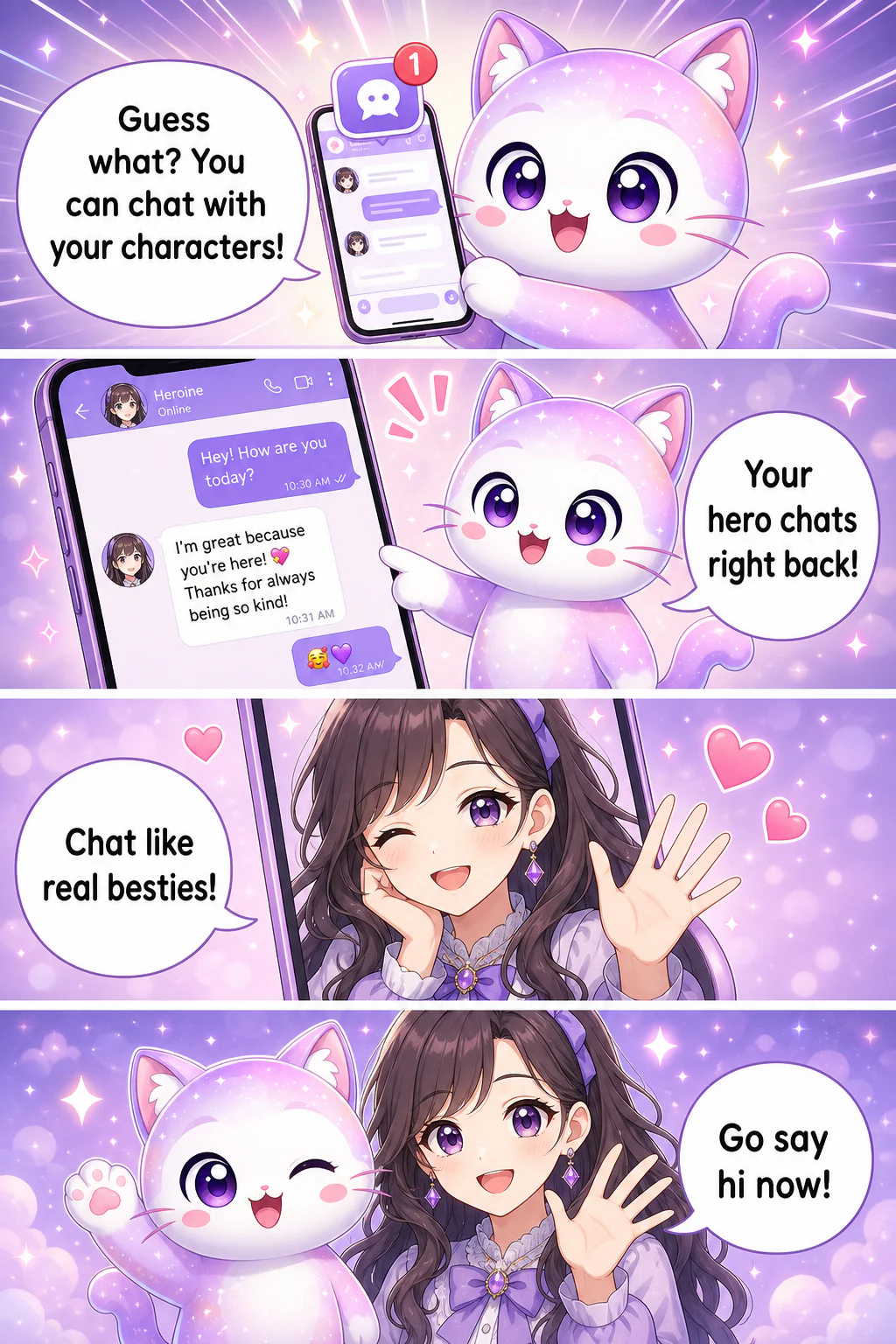
- Guess what? You can chat with your characters!
- Your hero chats right back!
- Chat like real besties!
- Go say hi now!
Turn Any Novel into a Comic · Your Own Story, Your Own World
From Manuscript to Manhwa
Everything a writer needs to turn a novel into a webtoon · without touching a pen.
📖 Paste Your Novel, Get Panels
Paste a short scene, chapter excerpt, or synopsis and ask for a panel plan. Review which story beats and dialogue the AI included before you generate the images.
🎭 One Cast, Every Chapter
Reuse saved characters and reference images for your recurring cast. This helps keep faces and outfits recognizable across panels and episodes, but generated details can vary. Review each panel and redraw or edit it when needed; redraws use credits.
Build the adaptation scene by scene
Draw a short scene first, check how the story reads as panels, and revise it before expanding the episode. Repeat with your saved cast for the next chapter.
📱 Real Vertical Webtoon Format
Export true scroll-style vertical webtoons, 4-panel strips, or square posts. Your novel reads the way modern manhwa and comics are actually read on a phone.
💬 Chat With Your Own Characters
Once your leads exist, you can message them and they reply in character. Your novel stops being a static file and becomes a world you can actually talk to.
🔒 Your Story Stays Yours
Use writing, photos and character references you own or have permission to use. Review the current Terms at /en/terms for licensing and commercial-use conditions before publishing.
How to Turn a Novel into a Comic · 3 Steps
Bring a novel you already wrote. Leave with a webtoon.
- 01
1. Create Your Characters
Choose saved characters or add references for your cast. Specify their appearance and roles, then reuse them in later scenes.
- 02
2. Paste Your Novel
Paste one scene from your manuscript and ask for a panel plan. Review the pacing, narration, dialogue, and which beats belong in each panel.
- 03
3. Generate Your Webtoon
Generate and review the panels, edit the art or dialogue, and arrange the result for export or community publishing. Continue with the next scene when you are ready.
Who Turns Novels into Comics?
Writers who have the story but not the drawing hand.
✍️ Web Novelists
Turn your ongoing web novel into a webtoon and give readers a visual version. A comic adaptation is how text series break out · and now you don't need a studio to make one.
📚 Novelists & Authors
Adapt a short scene from your book into a comic teaser that you can review and share with potential readers. Choose the destination and check its publishing requirements.
💘 Fanfic & Story Writers
Adapt your own story into a comic with consistent character designs and bring it to your readers visually · your writing, your cast, on the page.
🎮 Worldbuilders & OC Creators
Visualize the world and characters behind your novel, then chat with them to develop the next chapter. Your setting becomes something you can explore.
🎬 First-Time Comic Creators
Always wanted to make a webtoon but can't draw? Start from the novel you already wrote and publish your very first series this week.
From manuscript to webtoon or graphic novel
Free to Start Drawing Your Novel
The Free plan lets you try a scene without a credit card. Check Pricing for the current allowance, per-image credit costs, and plan limits. Budget for character images, panels, and revisions when planning a longer adaptation. Watermark and commercial-use conditions depend on the plan.
See Plans & PricingNovel to Comic FAQ
Can I turn my manuscript into a graphic novel with AI?▾
You can use GenToon to adapt scenes into AI-generated comic panels and arrange them into a comic or webtoon. Start with a short scene, review the panel plan, and check the art and dialogue. A finished graphic novel still needs your pacing, continuity, and editorial review.
How does novel-to-comic AI actually work?▾
Paste a scene from your novel, specify the cast and format, and review the panel plan. Choose saved characters or references, generate the panels, revise the result, and arrange the episode for export.
Does it have to be my own story?▾
Adapt a short scene from writing you own or have permission to use, then review the plan and generated panels. Check /en/terms and the destination’s publishing rules before sharing the result.
Do I need to know how to draw?▾
Not at all. That's the whole point · you write, the AI draws. Character art, panels, backgrounds, and lettering are all generated for you from your text.
How long does it take?▾
Drawing time depends on how many panels you make, the art style and how busy the servers are at that moment. Unlike commissioning an artist and waiting weeks or months, you see finished panels in the studio as soon as they're drawn and can fix any of them yourself.
Can I make a whole series, not just one page?▾
Yes. Reuse saved characters and a chosen style for later episodes. Review the cast, story continuity, and panel pacing between chapters; AI-generated details can still vary.
What kinds of novels work best?▾
Try a short scene with clear characters, actions, and dialogue. You can adapt different genres, but reviewing one scene first gives you a better sense of what to revise than submitting an entire novel at once.
Who owns the comic I make from my novel?▾
Use writing and characters you own or have permission to adapt. Rights to results are governed by the GenToon Terms of Service; whether AI-generated images qualify for copyright protection depends on local law. Check the rules of the place where you plan to publish.
Is it really free to try?▾
You can start with the Free plan without a credit card. Panel generation, new character images, and redraws use credits, so the number of finished scenes depends on your model choice and revisions. See Pricing for the current allowance, generation costs, and plan limits.
Can I do this on my phone?▾
Yes. GenToon has iOS and Android apps plus a mobile web app, so you can adapt your novel into a webtoon right from your phone.
Turn Your Novel into a Webtoon Now
Bring one scene from your manuscript, review its panel plan, and build a comic draft. Save the cast and continue at the pace your story needs.
Turn My Novel into a Comic