
AI Instagram Comic Maker
Make Instagram Comics with AI, No Drawing Required
Turn an everyday scene into a short comic. Reuse your saved cast and art style, review the panels and speech bubbles, then export images for your Instagram feed.

Start from your own story
Paste a scene from your manuscript or a few lines about something that happened to you. We’ll put it in the studio’s message box, and you can edit it before you send anything.
What are you starting from?
This only fills in the message box. Nothing is sent until you send it yourself. What you send isn’t used to train AI models. Privacy Policy
From an English request to comic panels
Turn a conversation into scenes
A fictional four-panel conversation generated in English, not a record of Instagram publication. Review the panels and publishing requirements before sharing your own comic.
Exact source request
Make a four-panel comic from this fictional group chat: Mia asks who brings snacks. Leo volunteers cups. Nina volunteers napkins. All three arrive without any food. Short English dialogue.
Generation completed: . Panels 1–3 of 4, in the original order. This is a partial preview.
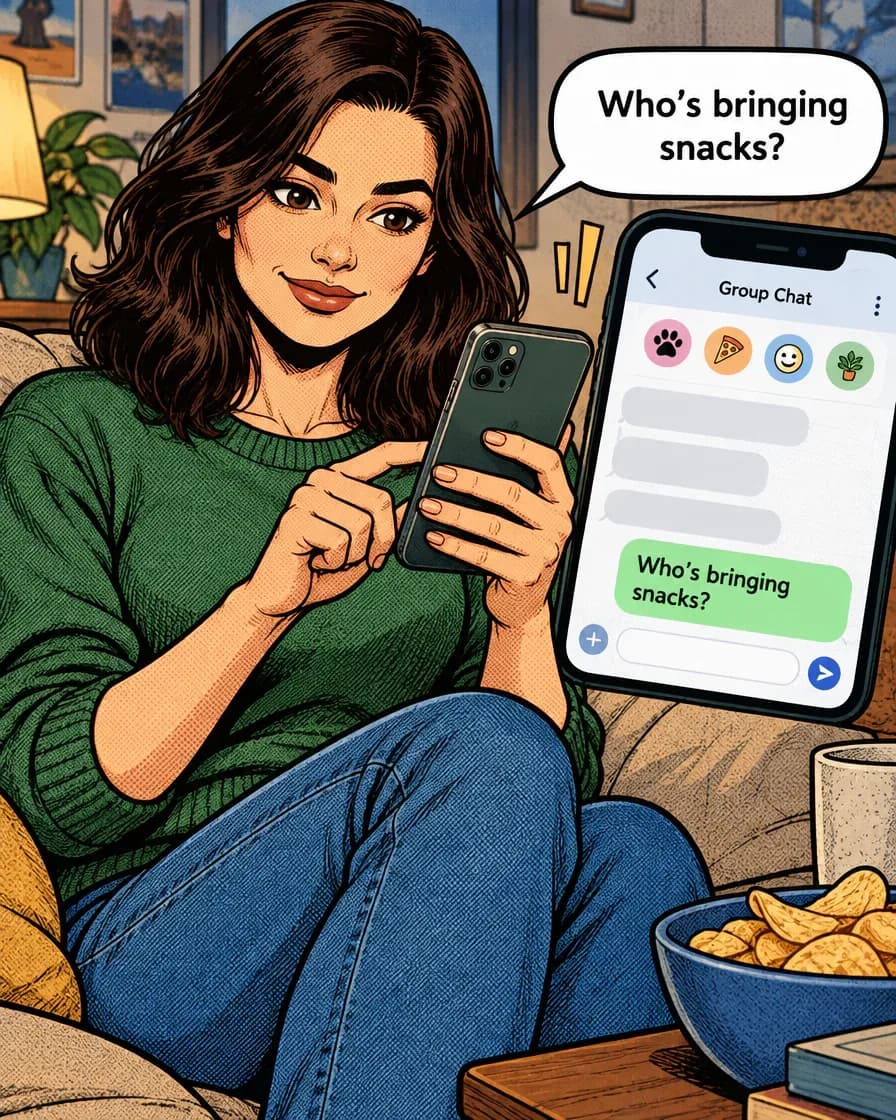
Panel 1 of 4 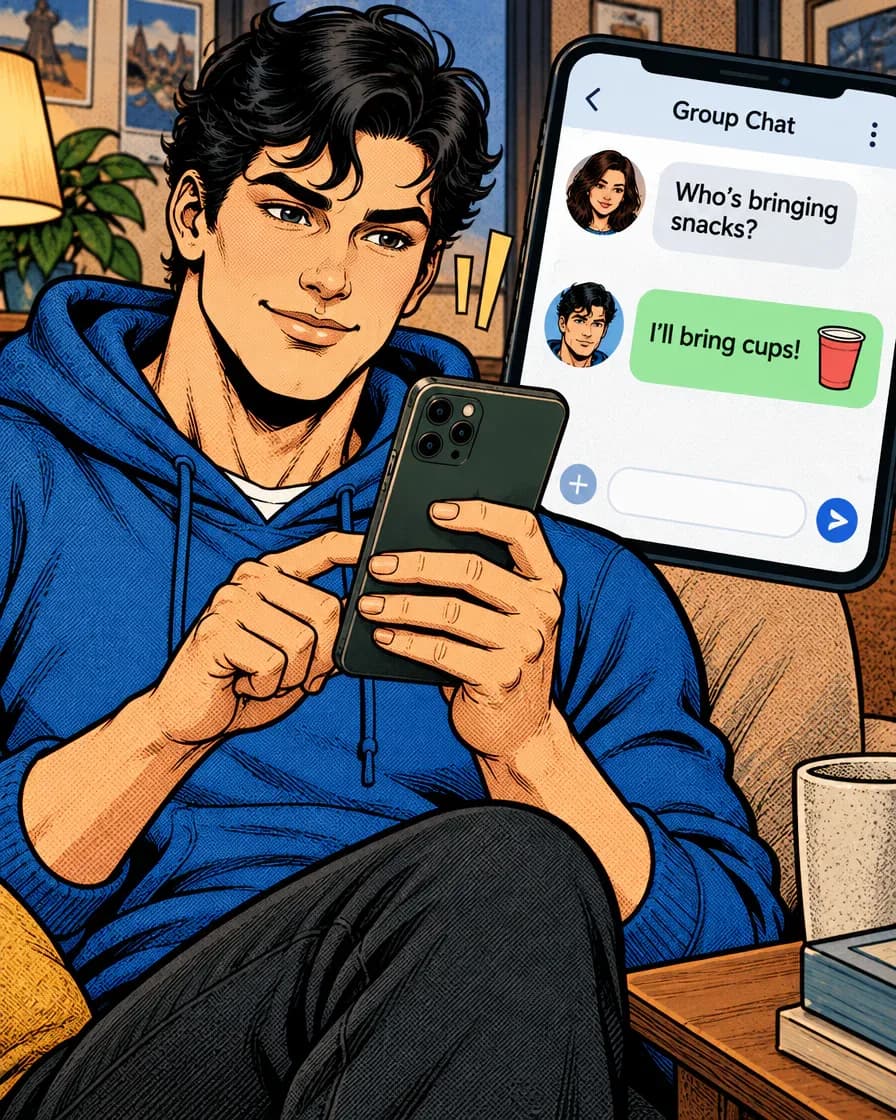
Panel 2 of 4 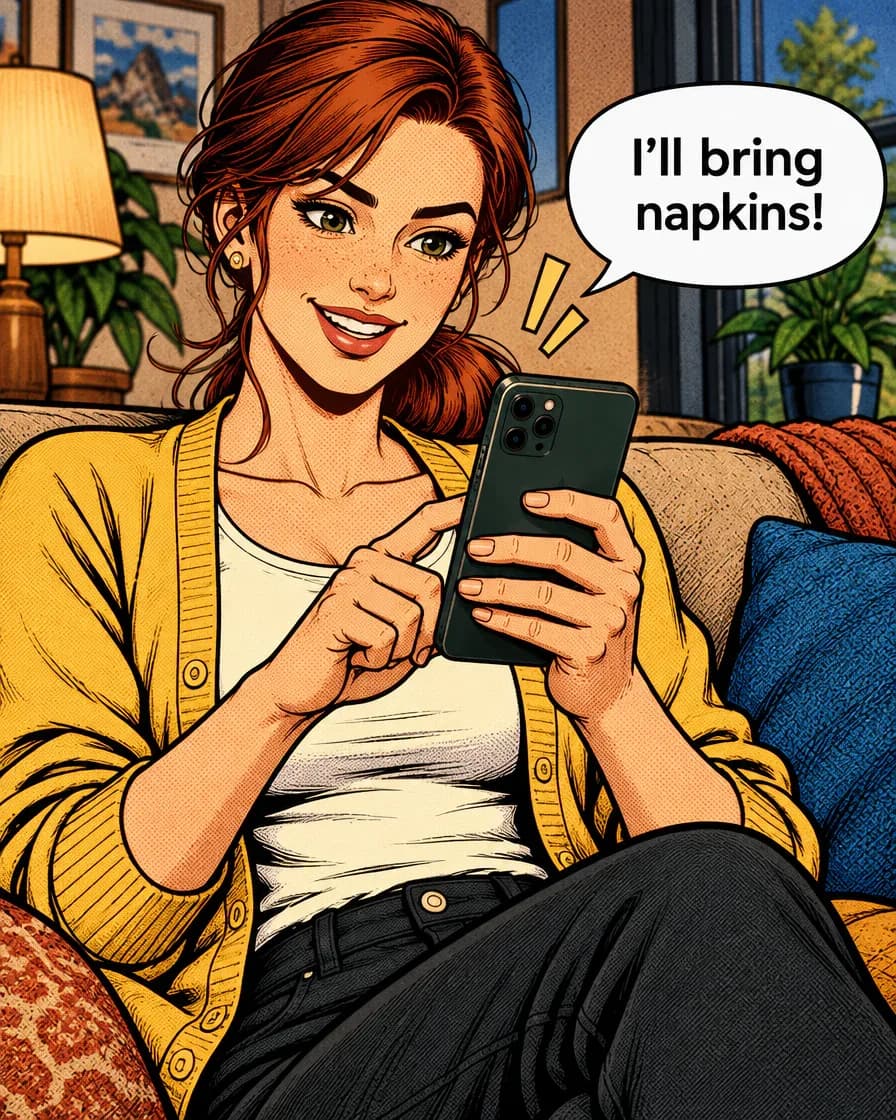
Panel 3 of 4
Just type. Done. · Make AI Webtoons with GenNyang
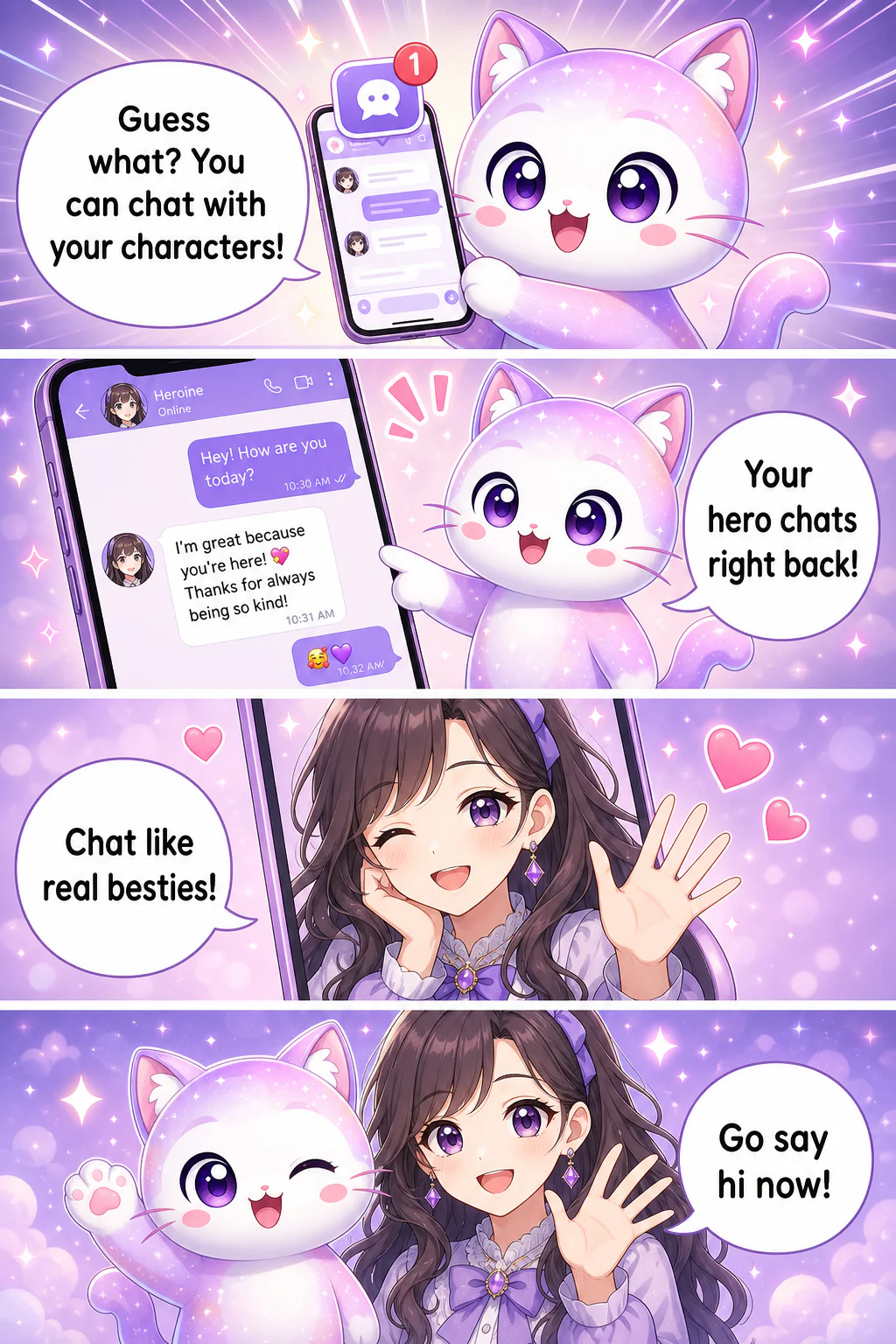
- Guess what? You can chat with your characters!
- Your hero chats right back!
- Chat like real besties!
- Go say hi now!
Why GenToon Is the Instagram Comic Maker Creators Actually Use
Everything an Instagram Comic Creator Needs
From influencers to aspiring daily-comic artists · six features built for running a comic account on Instagram.
🎨 One main character across the series
Reuse saved characters and reference images for your recurring cast. This helps keep faces and outfits recognizable across panels and episodes, but generated details can vary. Review each panel and redraw or edit it when needed; redraws use credits.
📐 1:1 and 4:5 · Feed-Perfect Ratios
Choose 1:1 square or 4:5 portrait for feed images. Use 9:16 for a vertical project, then review and export it in the format you need. Check the destination requirements before uploading.
💬 12 Speech Bubble Types, Auto-Placed
Dialogue, thought, shout, whisper, and more · 12 emotion-specific bubble styles that AI sizes and positions automatically based on text length. With 80+ Korean fonts plus English and Japanese typefaces, you can match any comic aesthetic from handwritten to clean sans.
🎭 8 Art Style Presets for a Cohesive Grid
Choose an art style for your episodes and reuse saved characters or references. Review each new result for changes in faces and outfits.
🤳 Selfie to Comic Character
Use a photo you have permission to adapt as a character reference. Save the illustrated character for your later episodes and check each generated result before sharing it.
🤖 AI-assisted episode planning
One command like 'write me a relatable Monday-morning 4-panel'. and the AI agent builds the character setup, story, and panel-by-panel dialogue. Give feedback in plain text and it redraws to match, and when you're out of ideas for this week's post, brainstorm the next episode with the agent.
How to Make an Instagram Comic · 3 Steps
From signup to your first published 4-panel comic in three steps. No tablet, no drawing app, no setup.
- 01
Create Your Character
Describe the look and personality in text, or upload a selfie and turn it into an illustrated character. Once saved, the character is loaded into every new panel you draw; each drawing still varies a little, so redraw a panel that drifts.
- 02
Type Your Story
Write naturally: 'falling asleep on the subway and missing my stop.'. AI splits it into panels with scenes and dialogue. Out of ideas? Ask the AI agent to write the whole script · 'give me a relatable office-life 4-panel.'
- 03
Review, export, and post your comic
Generate panels in 1:1 or 4:5, review the art and dialogue, and export your images. Upload them in Instagram and choose the caption and posting time. Reuse your saved cast and style for the next episode.
Who Makes Instagram Comics with GenToon
Five common ways creators use GenToon for Instagram-first content.
📝 Instagram Influencers
Create a short comic about a moment you want to share. Reuse saved characters and an art style across episodes, review the result, and choose how the images fit into your feed.
🏢 Brand and Marketing Accounts
Plan a product scene or customer question as a comic. Reuse a brand character, review the claims in the text and images, and choose the caption and destination before publishing.
✏️ Aspiring Daily-Comic Artists
If drawing skill is the only thing delaying your instatoon debut, start today. AI handles the artwork while you focus on stories and relatable moments. Publish episodes as a series in the GenToon gallery and join relay toons to find your first readers.
🐶 Pet Accounts and Parenting Diaries
Use a photo you have permission to adapt as a character reference, then tell an everyday story from a pet or family member's point of view. Review the result and choose whether to share it.
💼 Side-Project Alter Egos
Even after work, making this week's episode stays within reach. Run an anonymous alter-ego account about office life, hobbies, or gym progress · a side project only works if production fits around your day job, and GenToon makes the math work.
How to make an AI comic series for Instagram
What Instagram Comics Cost · Free to Start
Start with the Free plan and check Pricing for the current credit allowance and image-generation costs. Panels, new character images, and redraws use credits. Check the plan's watermark and commercial-use conditions before preparing images for an account.
View All PlansInstagram Comic Maker FAQ
What app can I use to make an AI comic series for Instagram?▾
GenToon lets you plan and draw short comics with saved characters and 1:1 or 4:5 panels. Review the art and dialogue, export the images, and upload them in Instagram. Save your cast and style to repeat the workflow for the next episode.
Is there an app I need to install?▾
No install needed · open www.gentoon.ai in your mobile browser and everything works, from character creation to 4-panel generation and gallery publishing. Plenty of creators make their next episode on the commute.
Is it really free to start?▾
You can start with the Free plan without a credit card. Panel generation, new character images, and redraws use credits, so the number of finished scenes depends on your model choice and revisions. See Pricing for the current allowance, generation costs, and plan limits.
Will my character's face change between episodes?▾
Save your character and GenToon loads it into the next panels and episodes, drawing the face, hair, and outfit to match. Each drawing still comes out a little different, so hands or small props can drift sometimes. When that happens, redraw just that panel or fix it in plain words (each redraw uses credits).
Which ratio should I post in · 1:1 or 4:5?▾
Feed posts work best in 1:1 square or 4:5 portrait, and GenToon supports both natively. 4:5 takes up more vertical space in the feed, so it tends to stand out more. For Reels and Stories, switch to the 9:16 vertical webtoon format.
Can I turn my selfie into a comic character?▾
Yes. Upload a photo and the AI makes a character that looks like the face in it. Save the character and it's loaded into your next episodes too. If you use someone else's photo, ask for their permission first.
Can I use it for a brand account?▾
Yes. Paid plans include commercial use, so you can create branded comics, ad content, and sponsored posts. Save a brand character once and it's loaded into each new post, no outsourcing needed. If a post is sponsored or an ad, say so at the start of the caption.
Can I create the images without enabling automatic publishing?▾
Yes. You can generate and review the panels, export the images, and upload them in Instagram yourself. You choose the caption and posting time. Automatic SNS publishing is a separate setup and is not required for this workflow.
Can I make comics in languages other than English?▾
Yes. GenToon supports 21 languages, and the AI writes speech bubble dialogue natively in your language · Korean, Japanese, Spanish, Arabic, and more. You can even run the same episode across accounts in different languages.
How do payments work?▾
Global checkout is handled by Polar and Korean checkout by Toss Payments. See Pricing for current plan prices, credit packs, and the payment options available at checkout.
Make Your First Comic for Instagram
Tell one everyday story, review the panels, and export a comic for your feed. Start free and reuse your saved cast for the next episode.
Make My Instagram Comic Free