Make comics with the GenToon app
Turn a scene from your novel or script into an AI comic. Keep your characters and world ready for the next episode.
Continue on the web instead
GENTOON · iOS & ANDROID
Give your next chapter a visual story.
Choose a scene from your own writing. Describe the cast, setting and dialogue, and GenToon plans the panels and draws them with AI. Work on iPhone or Android with the same account you use on the web.
Actual GenToon app screens
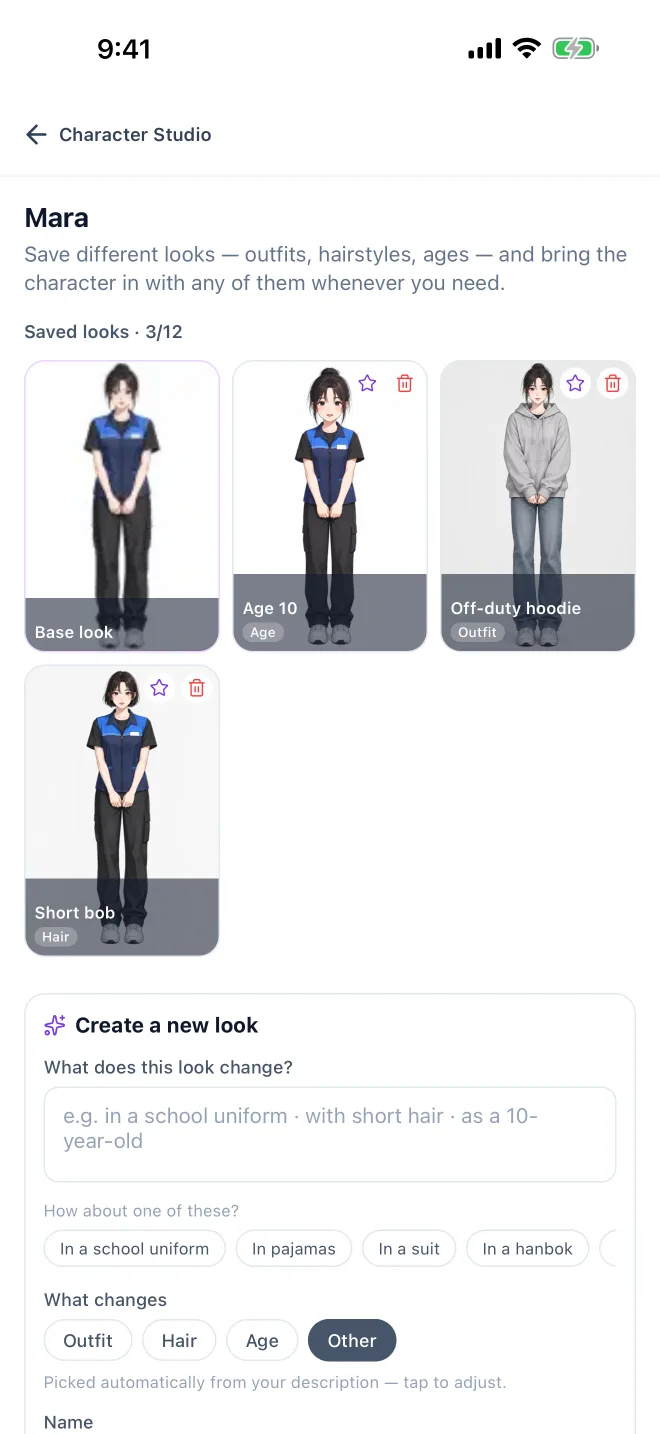
Save the people in your story
Create a character from text or a photo, save them, and choose them again for later panels and episodes.
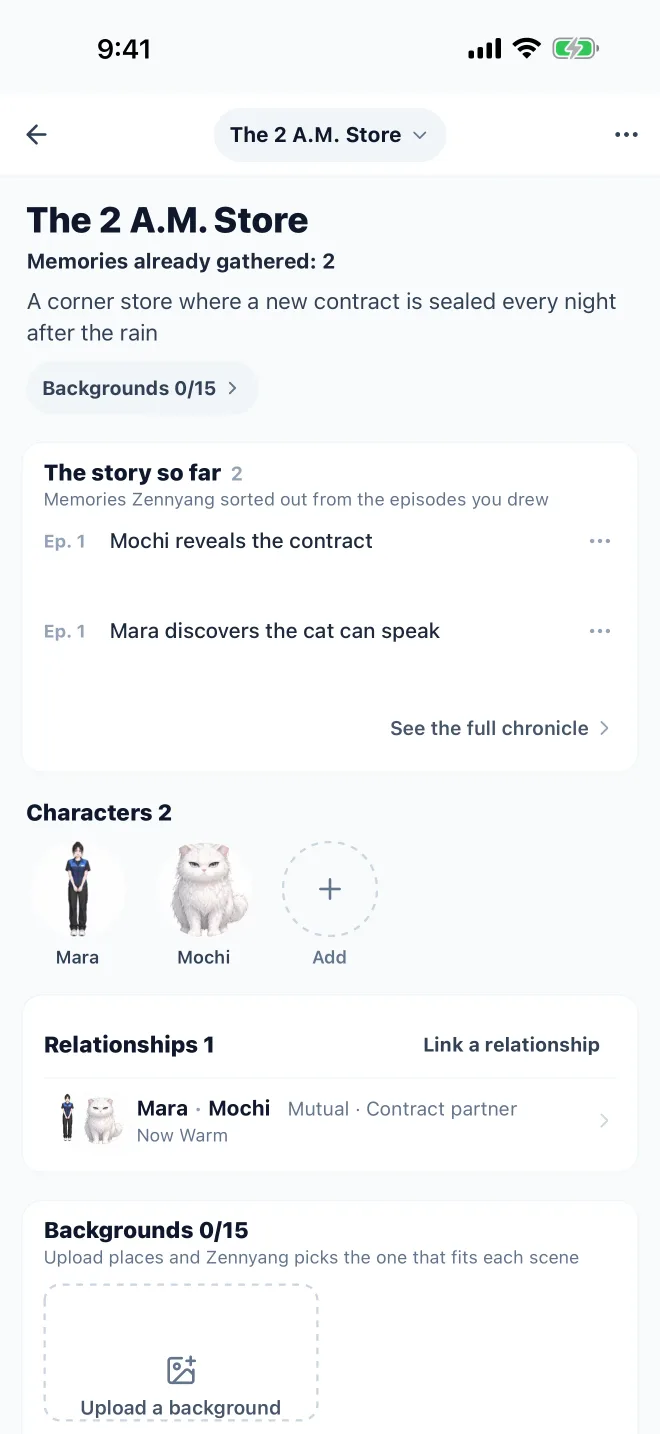
Keep your world and relationships together
Collect your cast, settings and relationships in a world. Use that saved context when planning the next story.
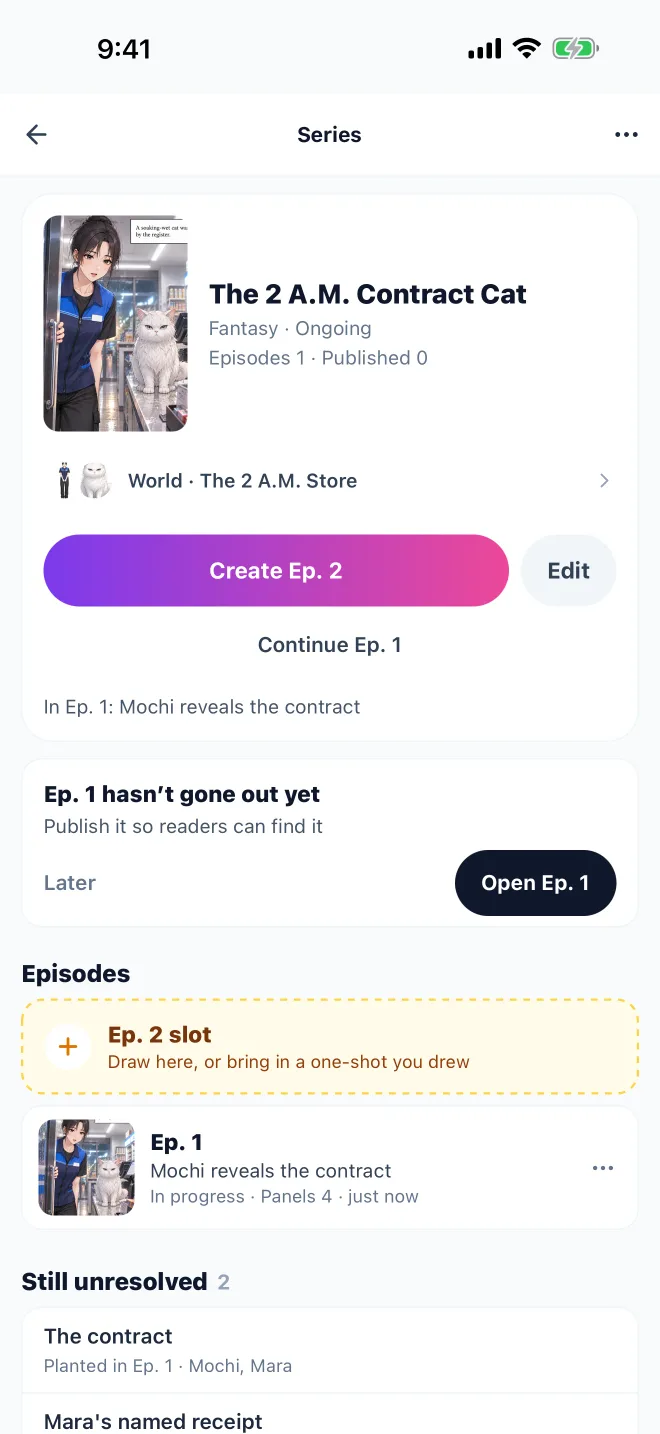
Continue with the next episode
Group finished episodes in a series and find them in your Serial Room. Start with one scene and build from there.
What story would you like to make?
Before you get the app
- Is the GenToon app free to install?
- The app is free to install. Generating or editing comic panels uses credits. You can check your balance and the required credits in the app.
- Can I turn my novel into a comic?
- Paste a scene from your own manuscript to get a panel plan and dialogue, followed by AI artwork. Start with individual scenes from longer manuscripts and edit panels as needed.
- Can I continue work I started on the web?
- Sign in with the same account on the web and in the app to continue using your saved characters and projects.