
For web-novel & Wattpad writers
Turn your Wattpad story into a webtoon
Bring a scene from writing you own. GenToon helps plan and draw it as a comic, using your saved characters and references. Review the art and dialogue, then continue with the next scene.
Start from your own story
Paste a scene from your manuscript or a few lines about something that happened to you. We’ll put it in the studio’s message box, and you can edit it before you send anything.
What are you starting from?
This only fills in the message box. Nothing is sent until you send it yourself. What you send isn’t used to train AI models. Privacy Policy
From an English request to comic panels
A scene from a novel becomes a webtoon
This English example comes from one short fictional request, not a full manuscript or two episodes, and not a Wattpad account import. Adapt only a scene you own or have permission to use.
Exact source request
Jiwoo finds a future letter, greets Minseo and writes back. Make 12 panels with short English dialogue.
Generation completed: . Panels 1–3 of 12, in the original order. This is a partial preview.
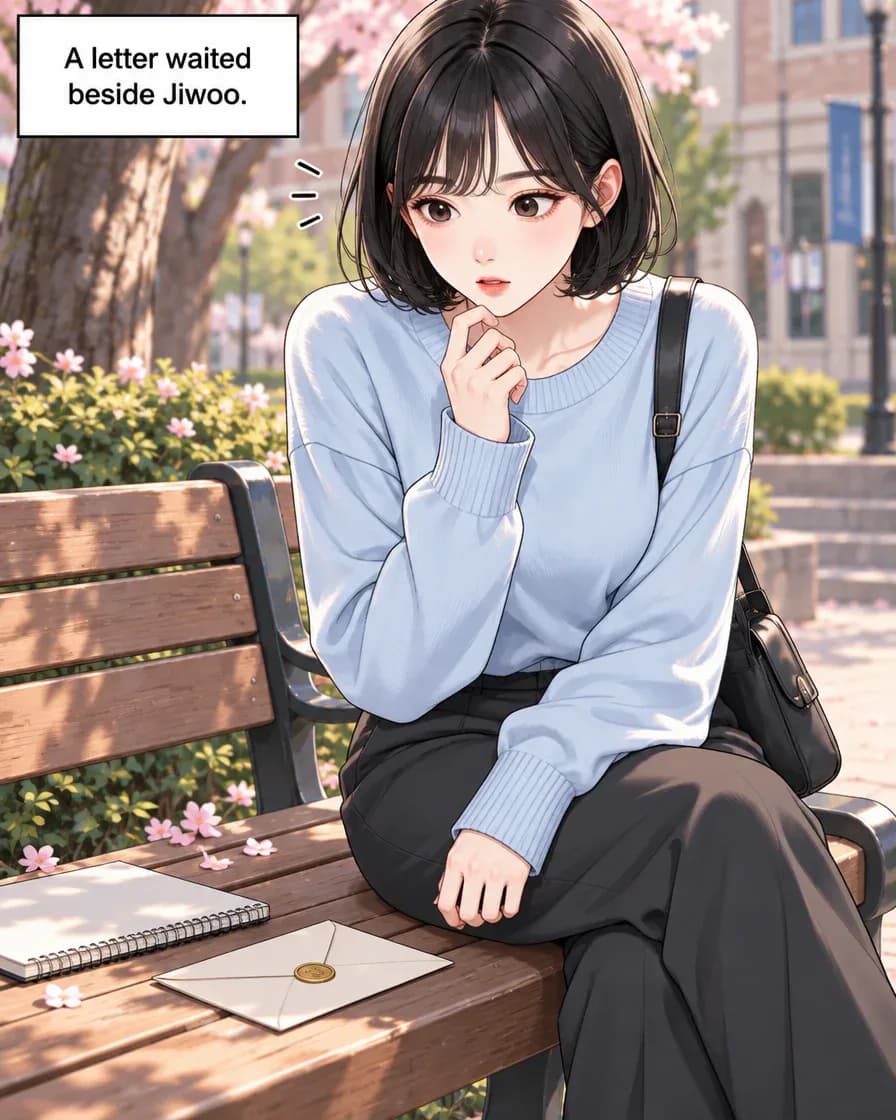
Panel 1 of 12 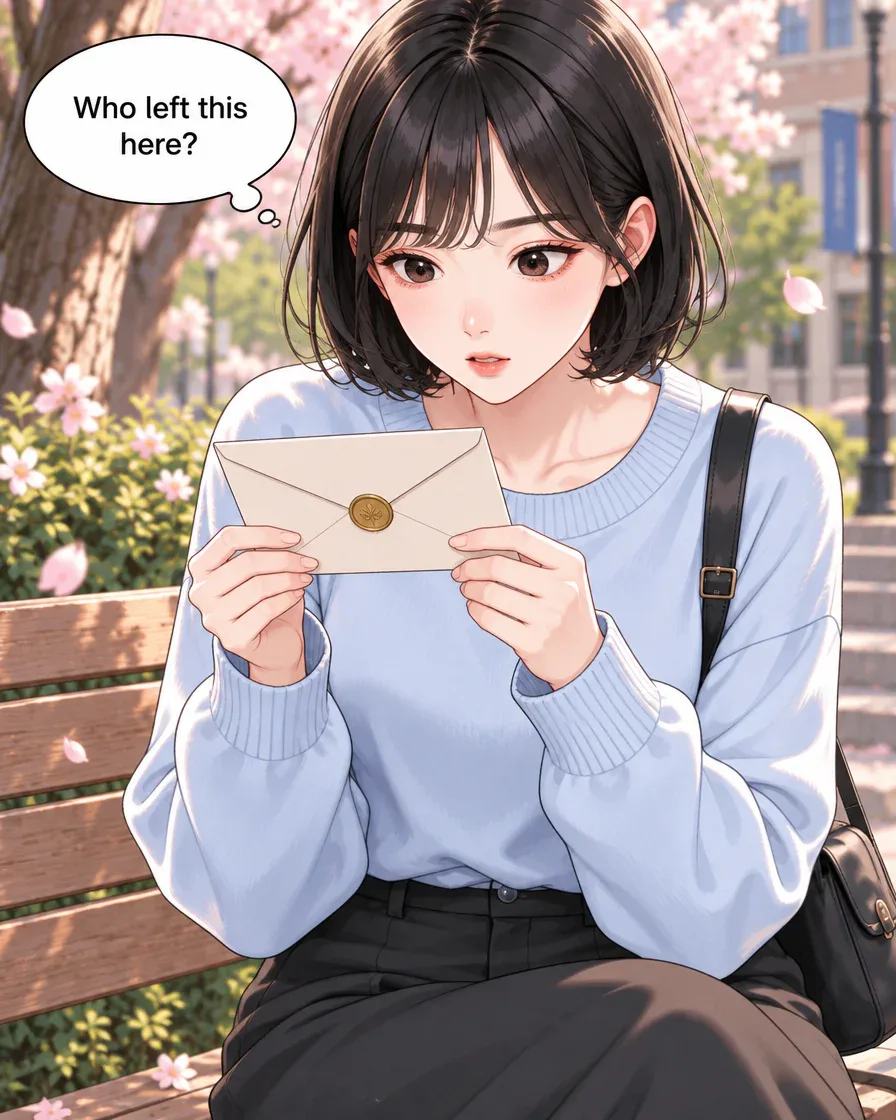
Panel 2 of 12 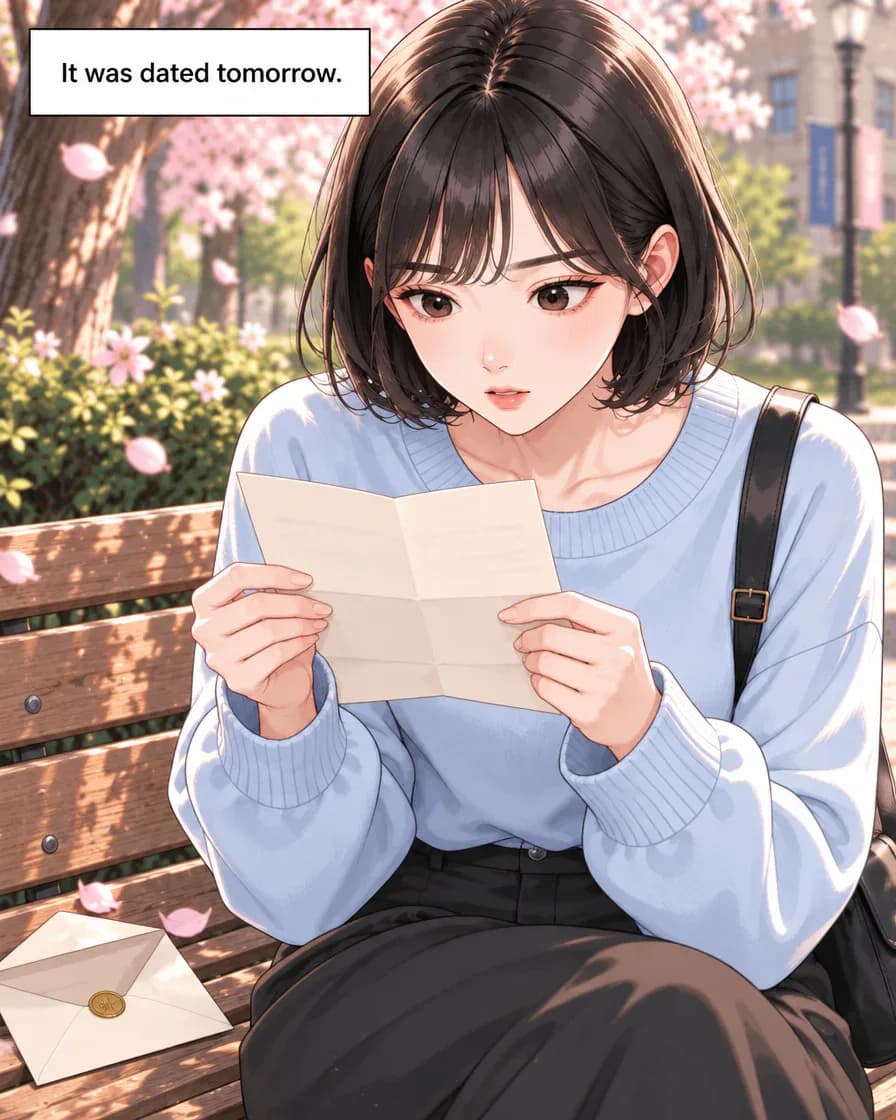
Panel 3 of 12
Just type. Done. · Make AI Webtoons with GenNyang
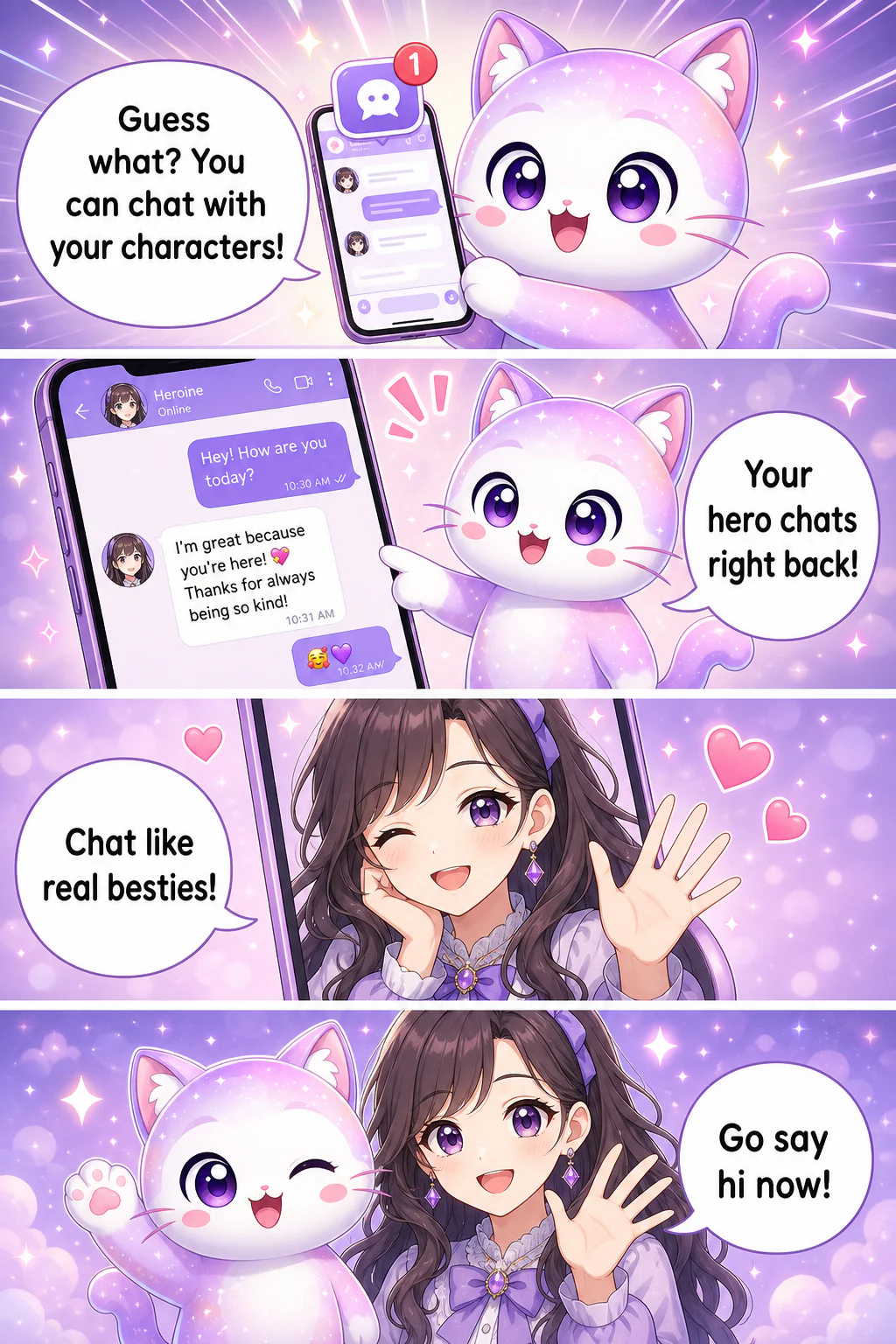
- Guess what? You can chat with your characters!
- Your hero chats right back!
- Chat like real besties!
- Go say hi now!
Your words deserve pictures
Everything you need to draw what you wrote
You bring the story. GenToon brings the studio, the artist, and the consistency.
✍️ From text to panels
Copy a scene from your own writing and describe what you want to see in the panels. Review the proposed plan before generating the images.
🎭 Characters that stay themselves
Reuse saved characters and reference images for your recurring cast. This helps keep faces and outfits recognizable across panels and episodes, but generated details can vary. Review each panel and redraw or edit it when needed; redraws use credits.
🎬 Describe the shot, get the panel
Describe the shot, hit generate, and the AI puts the panel on your canvas. Revise panels the way you revise sentences: try an angle, swap an expression, redraw the establishing shot. Panel by panel, the scenes add up to an episode.
🎨 Your story, your look
Romance-soft, action-sharp, cozy slice-of-life · pick from multiple art styles and more so the visuals match the tone of your writing. The same scene can read as a tender confession or a cliffhanger, depending on how you frame it.
📱 Write anywhere, draw everywhere
GenToon runs on the web and as a mobile app, sharing one account. Draft a panel on your laptop at your desk, tweak a line on your phone on the train. Your projects and characters follow you across devices.
🔒 Your work stays yours
Use writing, photos and character references you own or have permission to use. Review the current Terms at /en/terms for licensing and commercial-use conditions before publishing.
From chapter to comic in three steps
No pipeline, no team, no tablet. Here's the whole flow.
- 01
1. Bring your story
Choose one scene from writing you own or have permission to adapt. Copy the text into the studio and describe the comic format you want.
- 02
2. Cast your characters
Choose saved characters or references for your recurring cast and review the proposed panel plan. Check who speaks and which story beats are included.
- 03
3. Generate & arrange
Generate the panels, review the faces and dialogue, revise the result, and arrange the episode for export or GenToon community publishing.
Made for writers who've been told 'this should be a webtoon'
If you've got words and no way to draw them, this is for you.
Wattpad & web-novel authors
You've built a following on your words. Give your readers a visual · turn your most-loved chapter into a webtoon and hand them a scene they can see, not just imagine.
Original-fiction writers
Bring your original characters and worlds to life as panels. (Best for stories and characters you own · you're the author and the artist now.)
Aspiring webtoon creators
Always wanted to make a webtoon but can't draw? Skip the tablet. Test your story as a comic, see if it lands, and build an episode without hiring an artist.
Serial storytellers
Turn a long web novel into episodic panels, one chapter at a time. Keep your cast consistent across dozens of scenes and build a series your readers can follow.
Worldbuilders & hobbyists
You wrote a whole world for fun. Now picture it · key scenes, character portraits, that one moment you keep rereading · as a webtoon you can share with your group.
Web novel to webtoon, without the part where you learn to draw
Start free, scale when your story grows
Start with the Free plan and check Pricing for the current allowance, image-generation costs, and limits. Panels, new character images, and redraws use credits. A long adaptation needs a budget for both the draft and revisions; the number of finished episodes depends on the model, cast, and revisions.
See full pricingQuestions from fellow writers
Can I turn my own Wattpad story into a webtoon?▾
Yes. Copy a scene from your own story into the GenToon studio, choose saved characters or references, and review the proposed panel plan. Generate and revise the episode, then export it or publish to the GenToon community. Check the destination platform before uploading elsewhere.
I write on Wattpad · is GenToon affiliated with Wattpad?▾
No. GenToon isn't affiliated with, endorsed by, or connected to Wattpad. We mention Wattpad only because it's where many of our users write. Bring your own stories from wherever you publish them.
Do I need to know how to draw?▾
Not at all · that's the whole point. You bring the writing; the AI handles the art. If you can describe a scene in words (and as a writer, you can), you can make a panel. Zero drawing skill required.
Does GenToon automatically import my Wattpad chapters?▾
This workflow starts with text you copy into the studio. It does not automatically connect to your Wattpad account, read private chapters, or publish back to Wattpad. GenToon is not affiliated with Wattpad.
Will my characters look the same across panels?▾
Reuse saved characters and reference images for your recurring cast. This helps keep faces and outfits recognizable across panels and episodes, but generated details can vary. Review each panel and redraw or edit it when needed; redraws use credits.
Is it really free to start?▾
You can start with the Free plan without a credit card. Panel generation, new character images, and redraws use credits, so the number of finished scenes depends on your model choice and revisions. See Pricing for the current allowance, generation costs, and plan limits.
Can I turn a whole web novel into a series?▾
Yes. Work scene by scene, reuse saved characters, and build the scenes into episodes. Review pacing and continuity between chapters before publishing the next episode.
Can I use my fan fiction?▾
GenToon works best for stories and characters you own. You're responsible for the rights to whatever you bring, so original fiction is the safest fit. When in doubt, visualize the worlds and characters that are yours.
Does it work on my phone?▾
Yes. GenToon runs on the web and as a mobile app, sharing one account. Draft on your laptop, tweak on your phone · your projects and characters sync across devices so you can create wherever inspiration hits.
What if I don't like the result · can I get a refund?▾
Refund conditions depend on the purchase and current Terms. See /en/terms and /en/credit-policy for the applicable conditions before buying.
Your readers are ready to see it
Choose a scene from your own writing and review how it could work as panels. Start free, save your cast, and build the adaptation one episode at a time.
Visualize my story freeGood to explore next
Wattpad™ is a trademark of Wattpad Corp. GenToon is not affiliated with, endorsed by, or sponsored by Wattpad. The name is used only to refer to the platform where many writers publish the original stories they own.
