How to make a webtoon: learn from four real panels

GenToon
Oct 12, 2026 · 4 min read
An example comic created with GenToon AI.
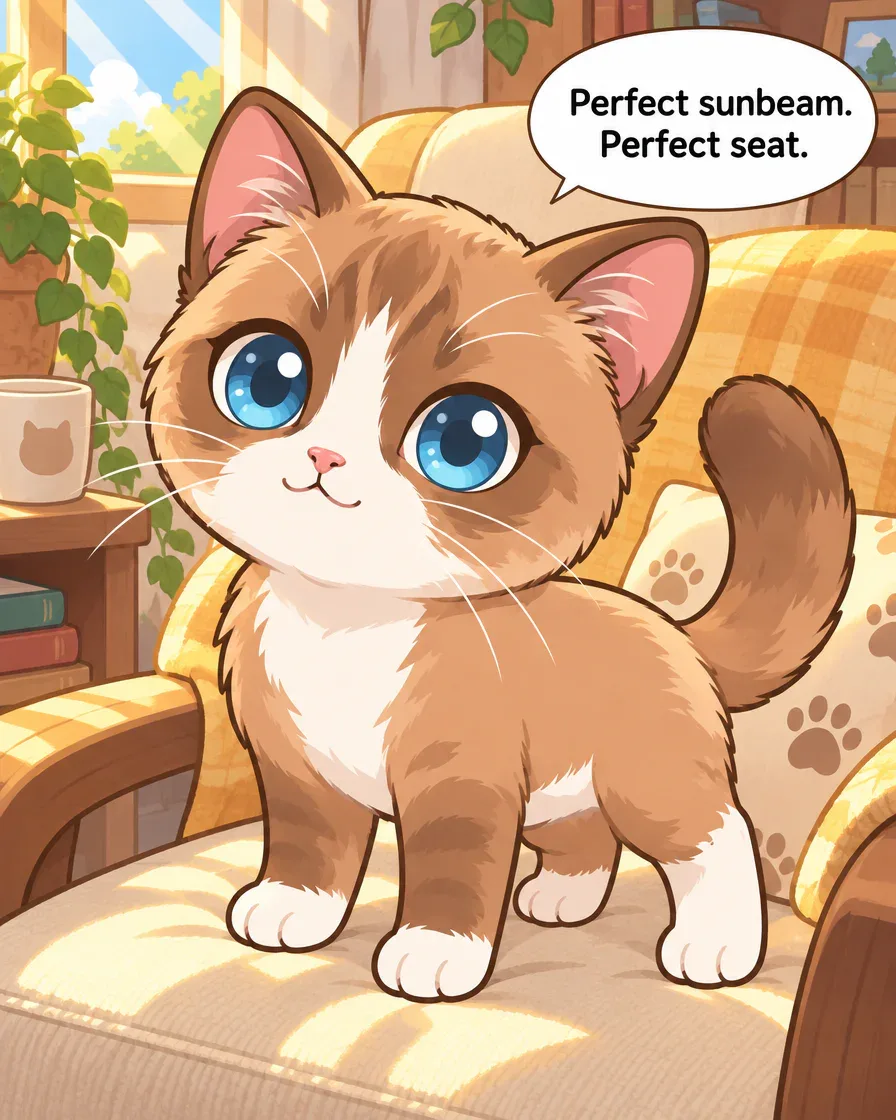
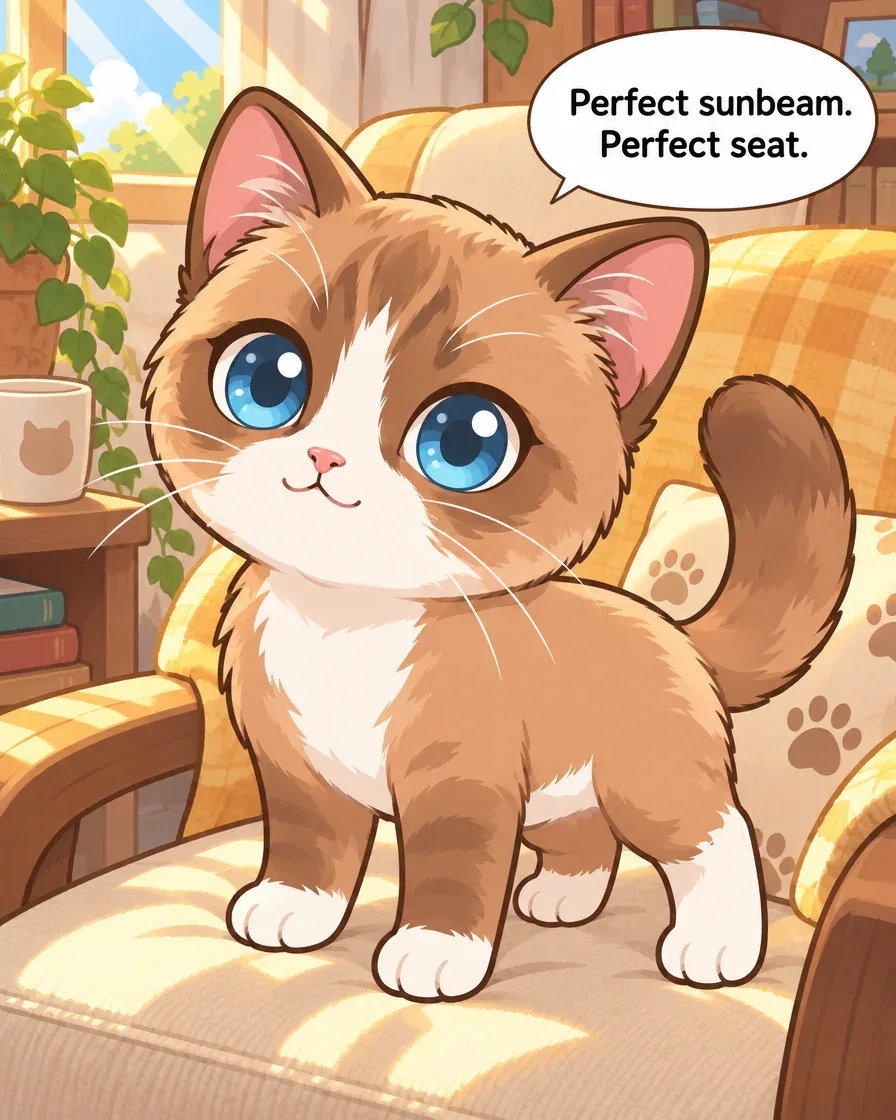
Panel 1Panel 1 of the existing GenToon example. The sunny chair and “Perfect sunbeam. Perfect seat.” show what Browny wants.
Create webtoons and chat with people.
Browny’s sunny seat, a snack bag and a mouse-shaped toy give this four-panel example its setup and surprise. Follow the request and learn what to check before making your version.
A four-panel story starts with one sunny seat
Browny’s sunny chair, snack distraction, dash and changed seat form an existing four-panel English GenToon example. These originals keep their location and movement differences; no new correction was generated for this guide.
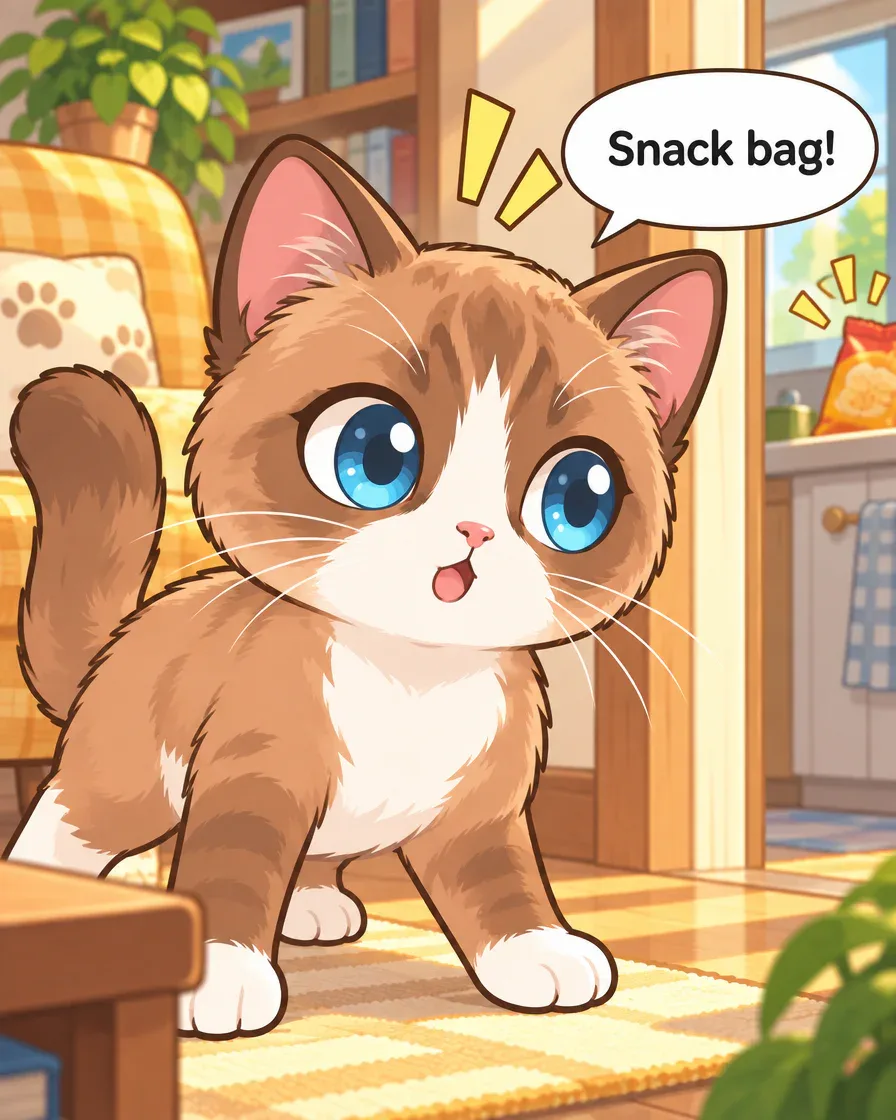
Panel 2Panel 2, unchanged. The bag and kitchen are already visible during “Snack bag!”; check that early location cue against the request. 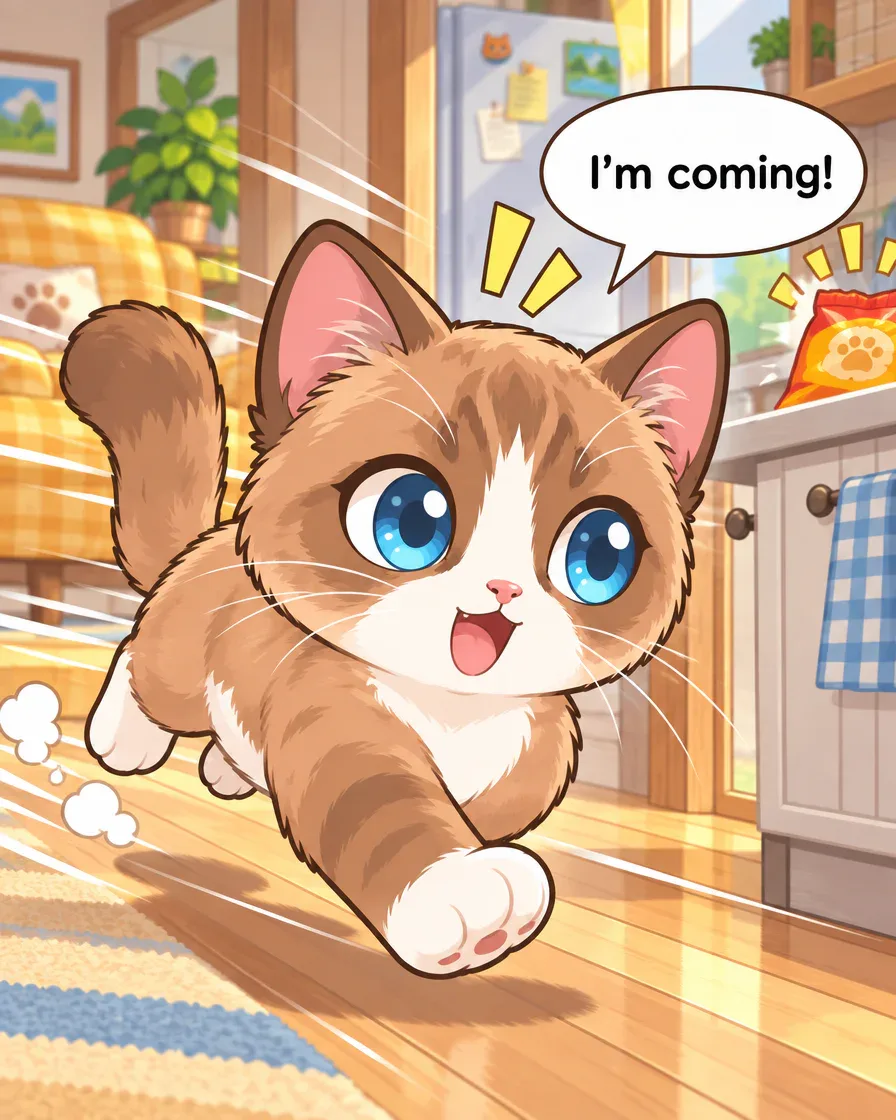
Panel 3Panel 3, unchanged. The cat runs toward the foreground with the kitchen behind it. This is not a clear view of entering the kitchen. 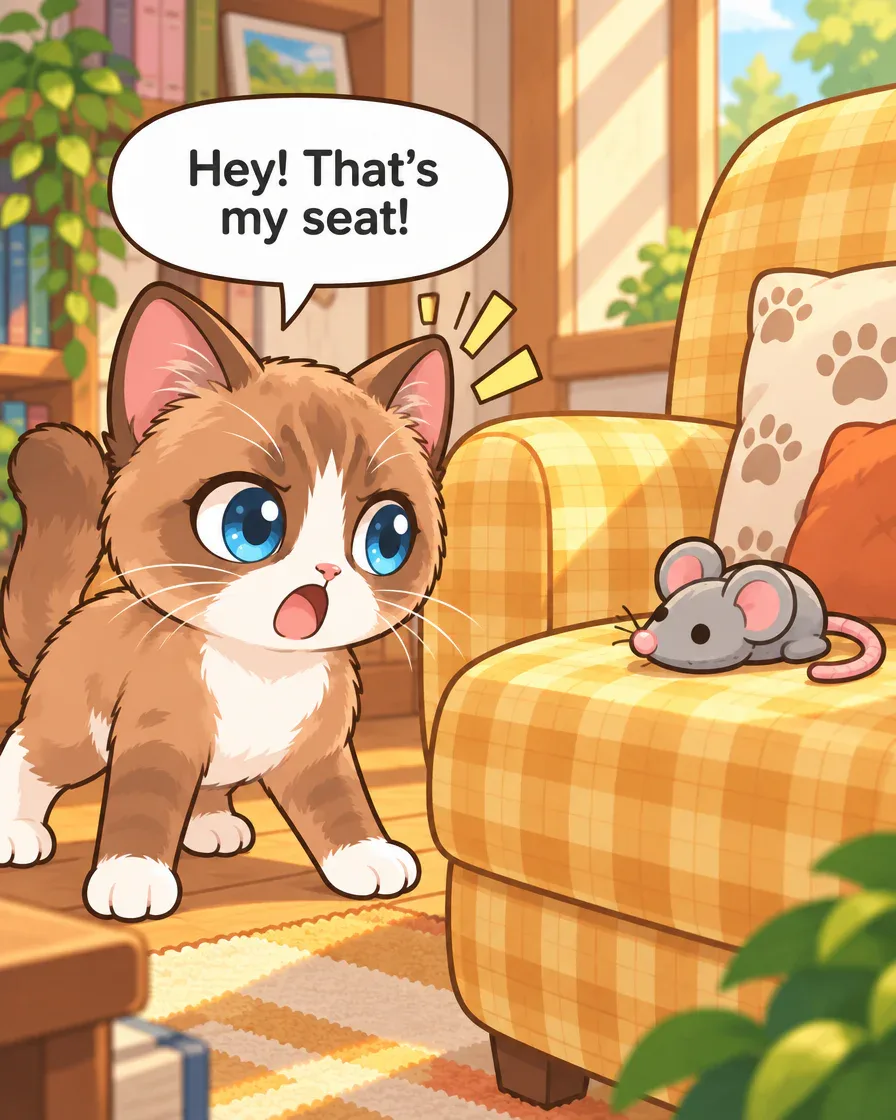
Panel 4Panel 4, unchanged. A mouse-shaped toy occupies the chair and Browny reacts. No person placing it or live mouse stealing the seat is shown.
Request for your own version
The request below is adapted for your own version. It is different from the request used to create this example.
Original request used for this example
Make a four-panel comic with Browny Blog Cat: he guards a sunny chair, hears a snack bag, dashes to the kitchen, then returns to find a toy in his seat. Short English speech bubbles.
Make four English panels: my character claims a favorite seat, gets distracted, rushes away, then returns to a surprise.
Art style used: Chibi
How this example was made
- Prepare one small scene
Use your own character and give the plan four visible jobs. The blog link prepares editable text without sending it.
- Read the plan and displayed cost
Check the chosen character, actions, dialogue language and quality. Review the current cost before launching images.
- Read the result before sharing
Compare the character, place, movement and ending. Choose one specific correction or decide what to keep, then review your save or publishing options.
Inspired to tell your own story?
Create webtoons and chat with people.
Quick answer
- Start with one character, one goal and four visible moments.
- This existing English GenToon comic shows a claimed seat, a snack distraction and a changed ending.
- Follow the original request, read its imperfect movement, then prepare your own short scene in Studio.
Browny starts on a sunny chair. A snack bag catches his attention. By the final panel, he faces a mouse-shaped toy on the seat. That small change gives this comic its surprise.
These four English images were made in GenToon and are shown unchanged. Our three starter guides share this example; this one connects each visible moment to a request and review step.
Give your first comic one thing to care about
The first panel gives Browny a goal before anything goes wrong. He stands on a sunny yellow chair, and the line “Perfect sunbeam. Perfect seat.” tells us why the place matters. The final panel changes that same place rather than starting a different story.
For your first comic, pick something your character wants to keep, finish or reach. A favorite chair, a quiet lunch or a small promise is enough. Write what changes by the end, then choose the actions that lead there.
Write a request with four visible jobs
This is the submitted request for the four English source images. The character name belongs to this demonstration; the request is preserved separately from the exercise offered later in this guide.
Make a four-panel comic with Browny Blog Cat: he guards a sunny chair, hears a snack bag, dashes to the kitchen, then returns to find a toy in his seat. Short English speech bubbles.
The sentence already describes a goal, a distraction, a dash and a return. Use those jobs to check your own proposed plan. This breakdown is our reading of the request and output, not a screenshot of the original planning session.
| Panel job | What to decide in your plan |
|---|---|
| Establish | What does the character want? |
| Interrupt | What catches their attention? |
| Act | What movement changes the situation? |
| Finish | What is different when they return? |
Choose your character before judging continuity
Browny is the character named in the original request. The blue eyes, brown fur, white muzzle and white paws provide details to compare across the four images. The existing example carries the Chibi label. Its large head and eyes make the reactions easy to notice.
Choose your own character when preparing your plan. If you already have a saved one, check that its name is selected for the story. Otherwise, prepare the character you want to use and review any cost shown. Opening this blog does not add Browny to your account.
Keep a short appearance note for the features you care about. A character reference gives you a comparison point; it does not remove the need to examine the face, proportions and accessories in each result.
Read the proposed plan before launching the images
For this scene, the useful question is where the cat should be in each moment. The second image already shows the kitchen doorway and snack bag. If your version needs the cat to hear a noise while still in another room, say that in the plan.
Check the character, the number of panels, the dialogue language and the ending. Choose the quality you want and read the displayed cost before starting image creation. If a countdown appears and you want to revise the plan, pause it before it launches.
Compare the drawn action with your request
The request says the cat dashes to the kitchen. Panel 3 shows a running cat, but the fridge and bag are behind it while it moves toward the foreground. The excited line “I’m coming!” works, yet the direction is not exactly the one described.
Read the images without using your request to fill in missing action. Can you tell where the character came from and where it is going? Keep a note of one unclear transition before you decide whether to change the plan or an image.
Give one correction a clear job
A possible correction for the reaction panel is: “Keep my selected cat on the sunny chair. Show the kitchen only beyond the doorway. Keep the line ‘Snack bag!’.” That proposed wording targets the location before the dash.
This correction has not been submitted or generated. All four images shown here remain the existing originals. In your own work, select the affected panel, check the displayed edit cost, and compare the new result with the earlier image. Keep the version that makes the action clearer.
Prepare your version, then choose how to share it
The last panel returns to the chair and supplies the change: a toy now occupies it. You can borrow that story structure with your own character and setting. This separate practice request has not been executed for the images above:
Make four English panels: my character claims a favorite seat, gets distracted, rushes away, then returns to a surprise.
Open the Studio with the prepared text. The link fills a draft; it does not send the request. Sign in if needed, then reread the text, choose your quality and confirm the plan and displayed cost before creating images.
Once you are satisfied, look for Download to keep your work or review the title and visibility before publishing. You can also read the community’s comics first. For help deciding what to check during a first attempt, use the beginner guide.
Frequently asked questions
Were these images made in GenToon?
Yes. They are an existing four-panel English GenToon example, reused for this guide. The original request and visible limitations are included so you can connect the results with the process.
Do I need a long story to start?
This example uses a goal, an interruption, one movement and a changed ending. Write four visible moments first. A longer episode can wait until you have a small sequence you can read and revise.
Has the example been corrected for this article?
No new correction was generated. The kitchen already appears in panel 2, and panel 3’s running direction is not an exact match for the request. The proposed correction is a separate, unexecuted suggestion.
Does the blog button send a request or give me Browny?
It prepares editable text in Studio. It does not send that request or add the demonstration character to your account. Review your chosen character, plan, quality and displayed cost before you start.