A Character Bible from One Finished Scene: Jiwoo and Minseo

GenToon
Oct 8, 2026 · 5 min read
An example comic created with GenToon AI.
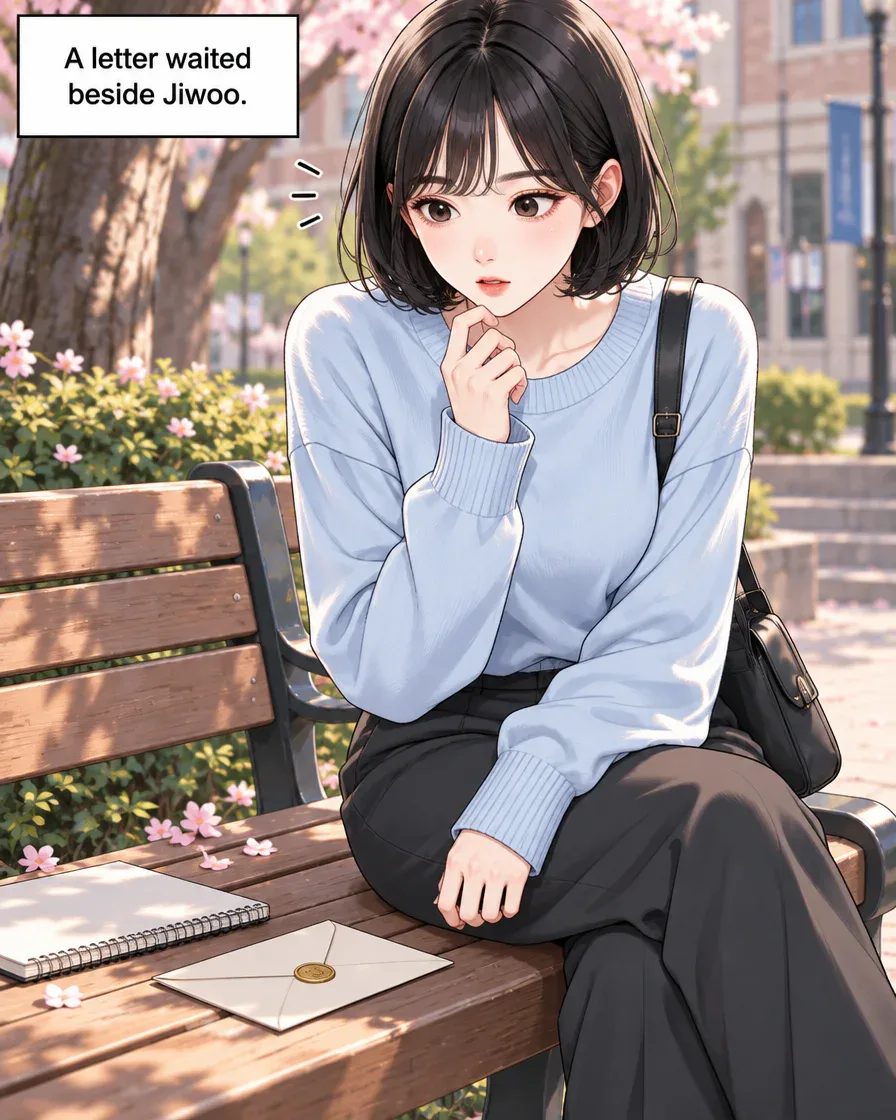
Panel 1
The 12-panel result above uses the original request. The four-panel practice uses a different request.
The button fills the Studio input so you can edit it before sending. Check the plan and current cost in Studio before drawing.
See webtoons by other creatorsExplore different art styles and stories in the community.Jiwoo turns a moment of hesitation into a hello. Read the finished English scene, make notes on its cast and relationship, then decide which choice belongs in your next episode.
A scene from a novel becomes a webtoon
Jiwoo finds a letter dated tomorrow, greets Minseo and writes back in this completed English example. Use the cast and finished events to begin a character bible, then keep your next-scene ideas separate.
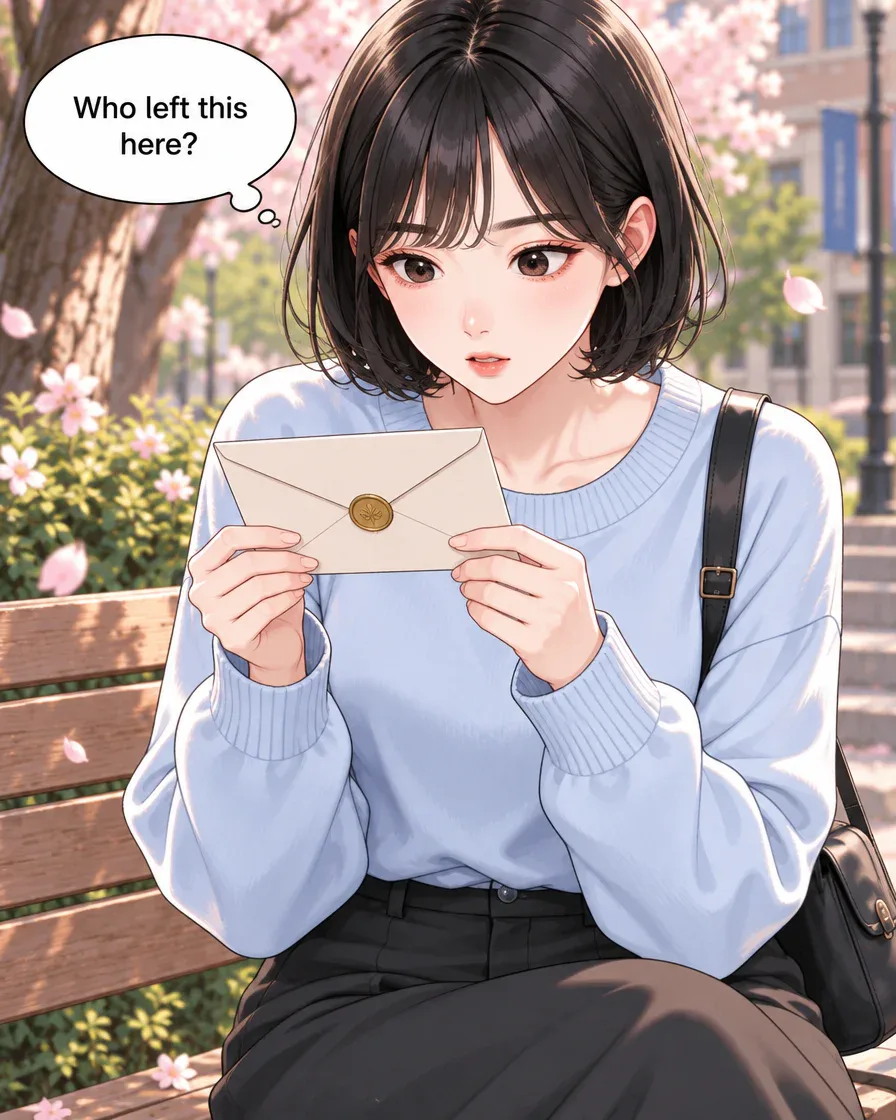
Panel 2 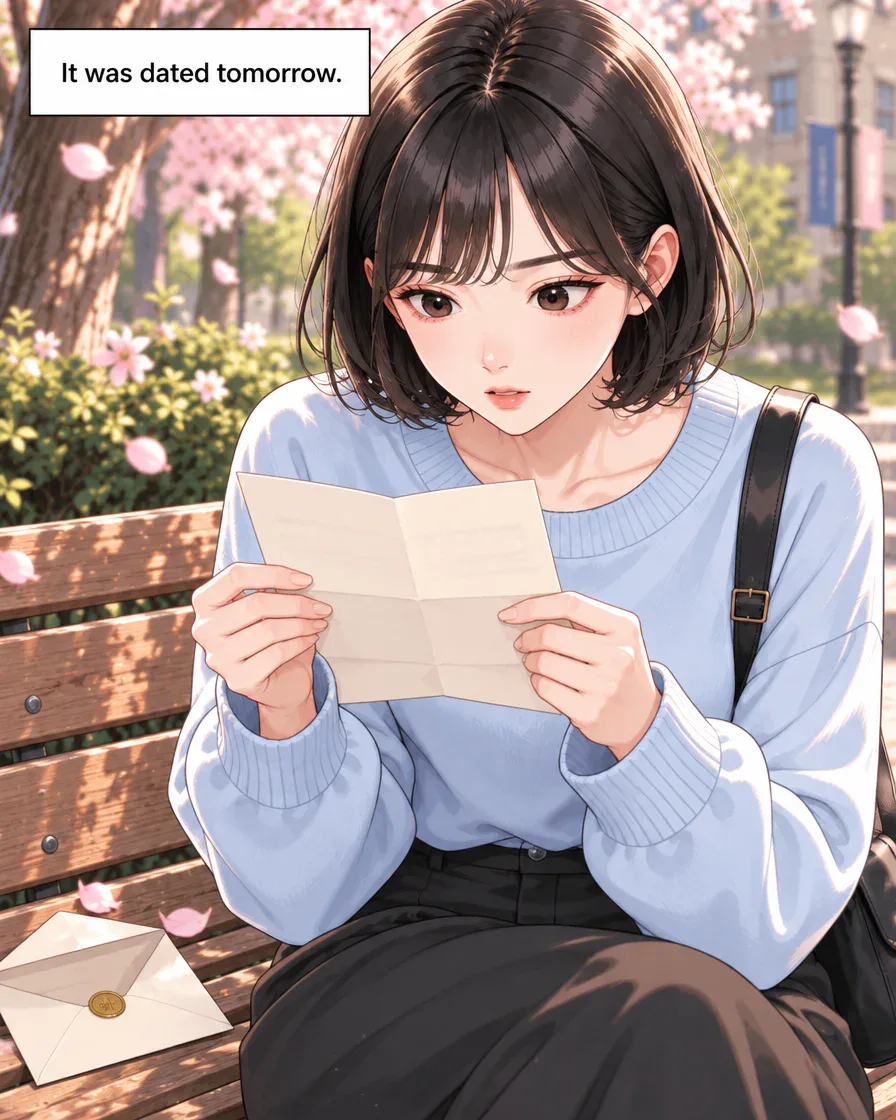
Panel 3 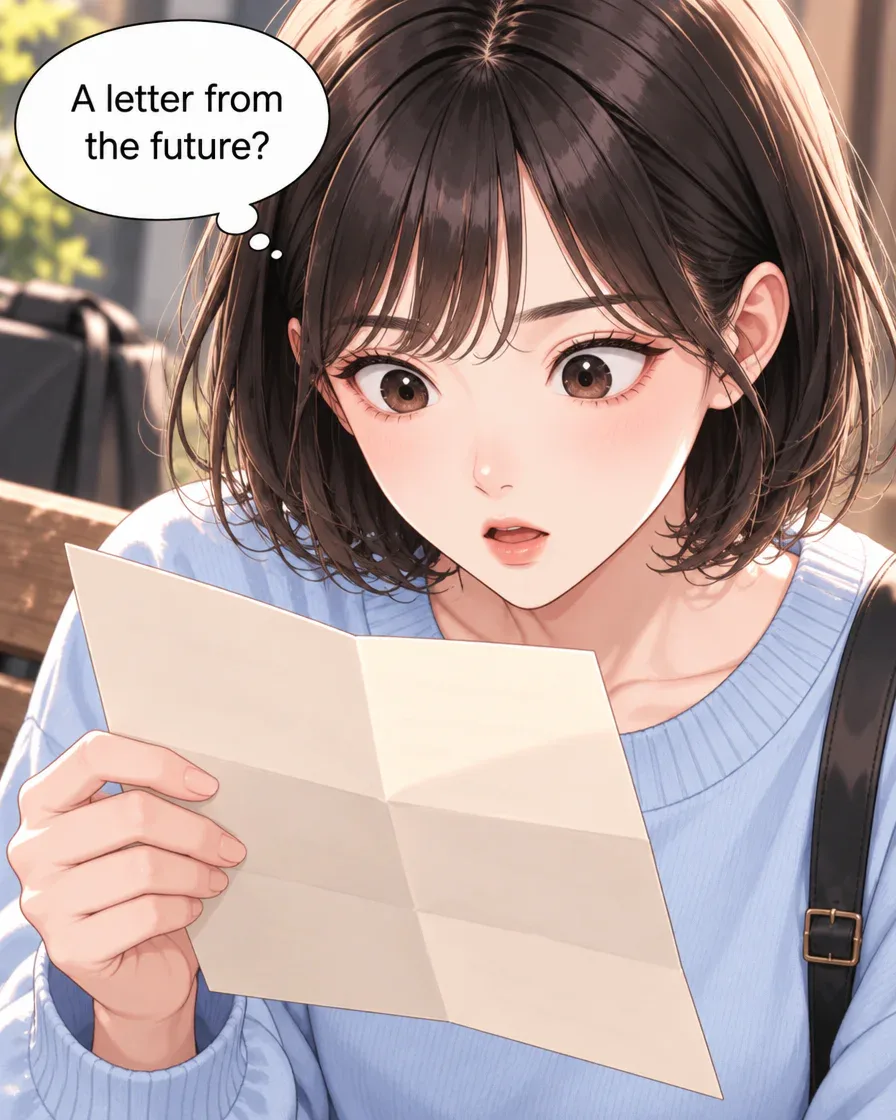
Panel 4
Read all 12 panels (8 more)
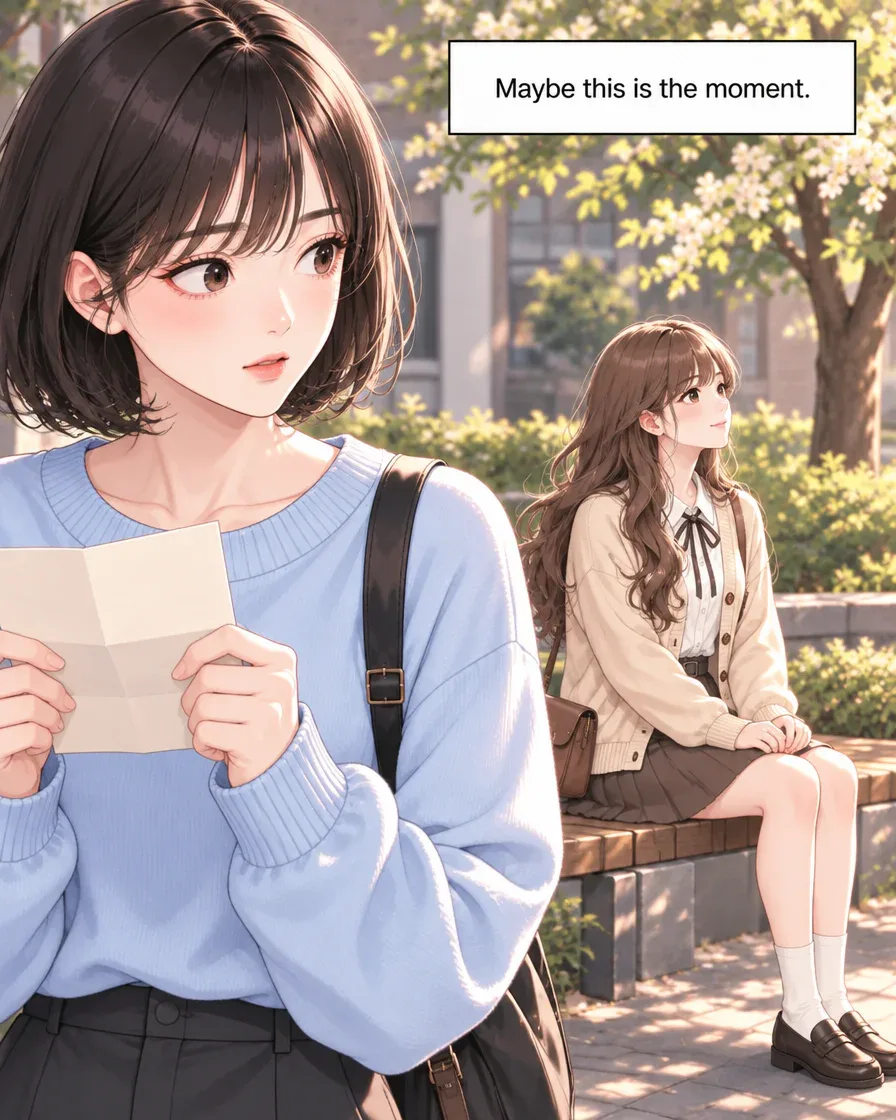
Panel 5 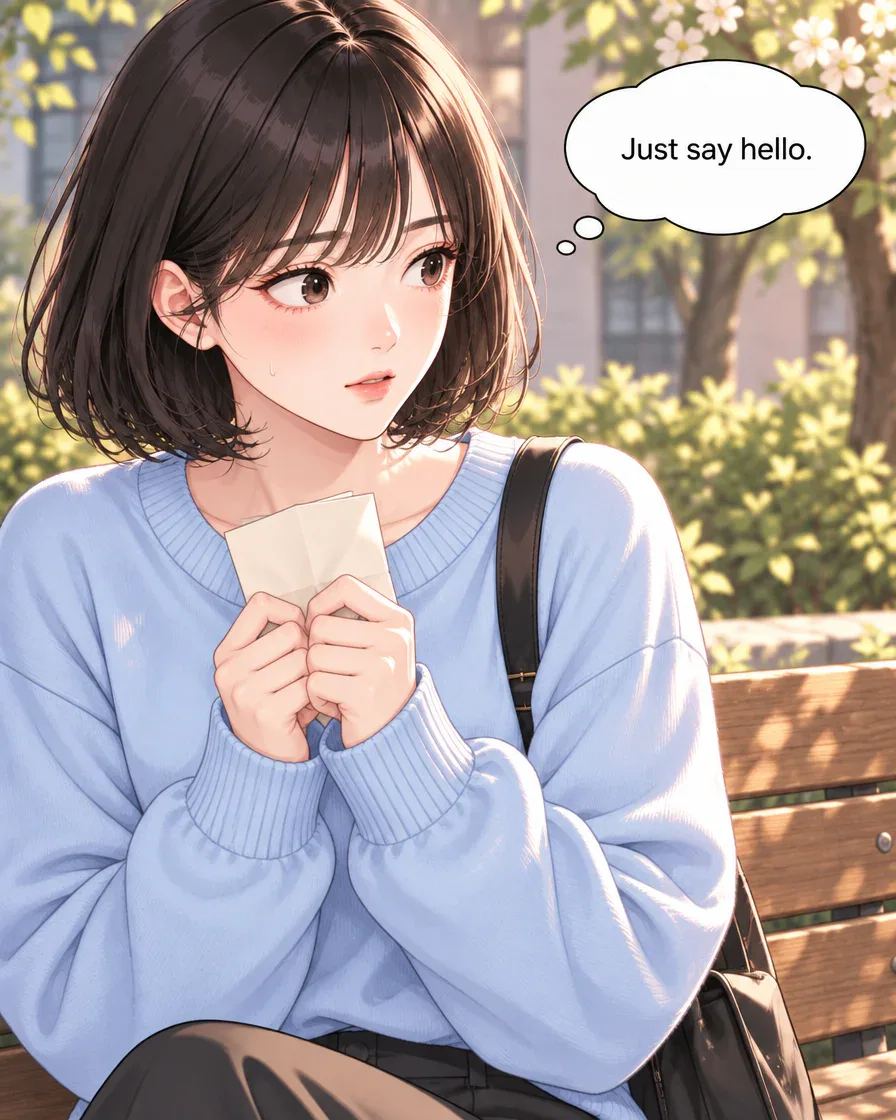
Panel 6 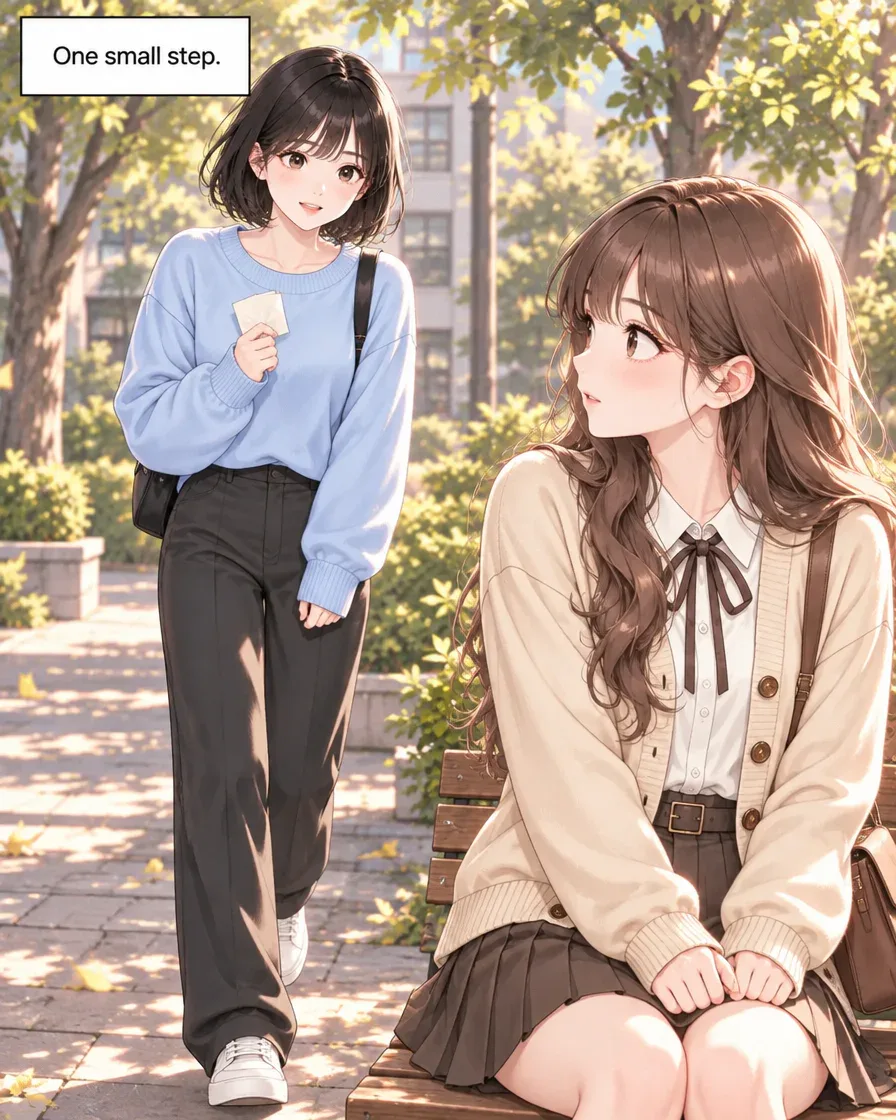
Panel 7 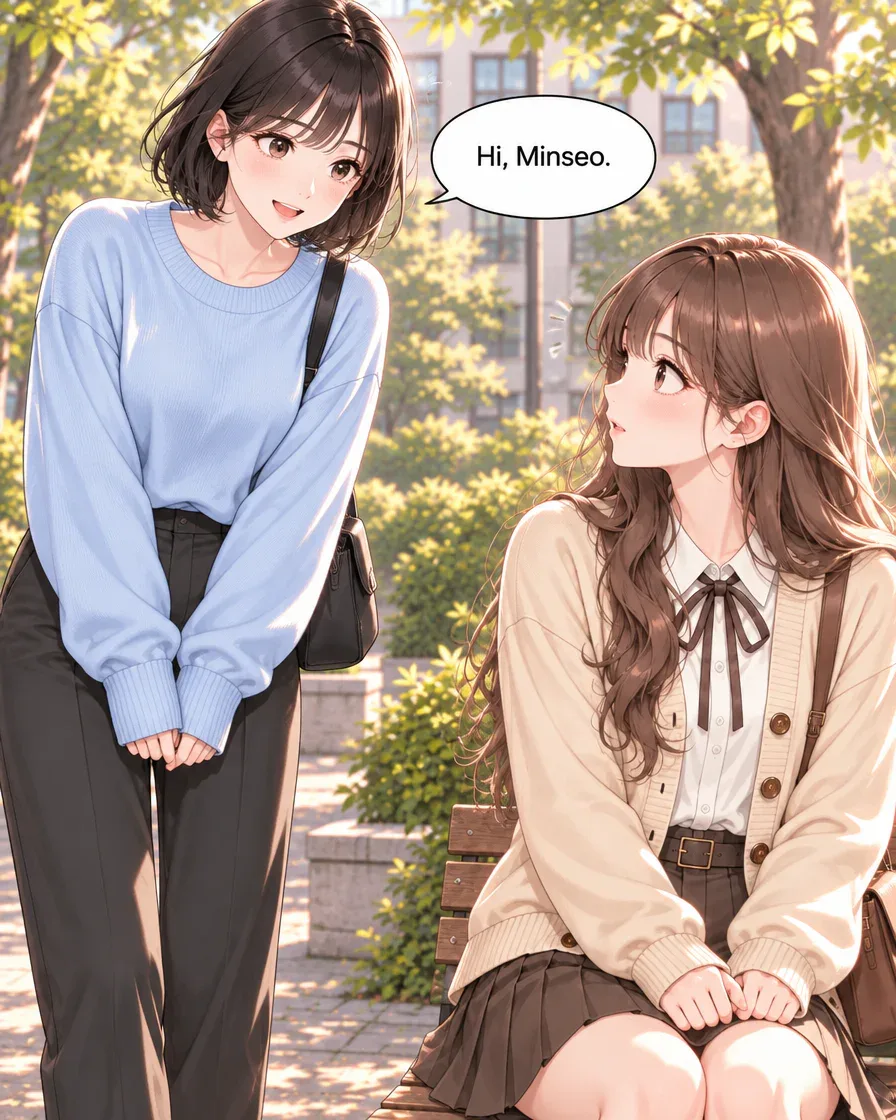
Panel 8 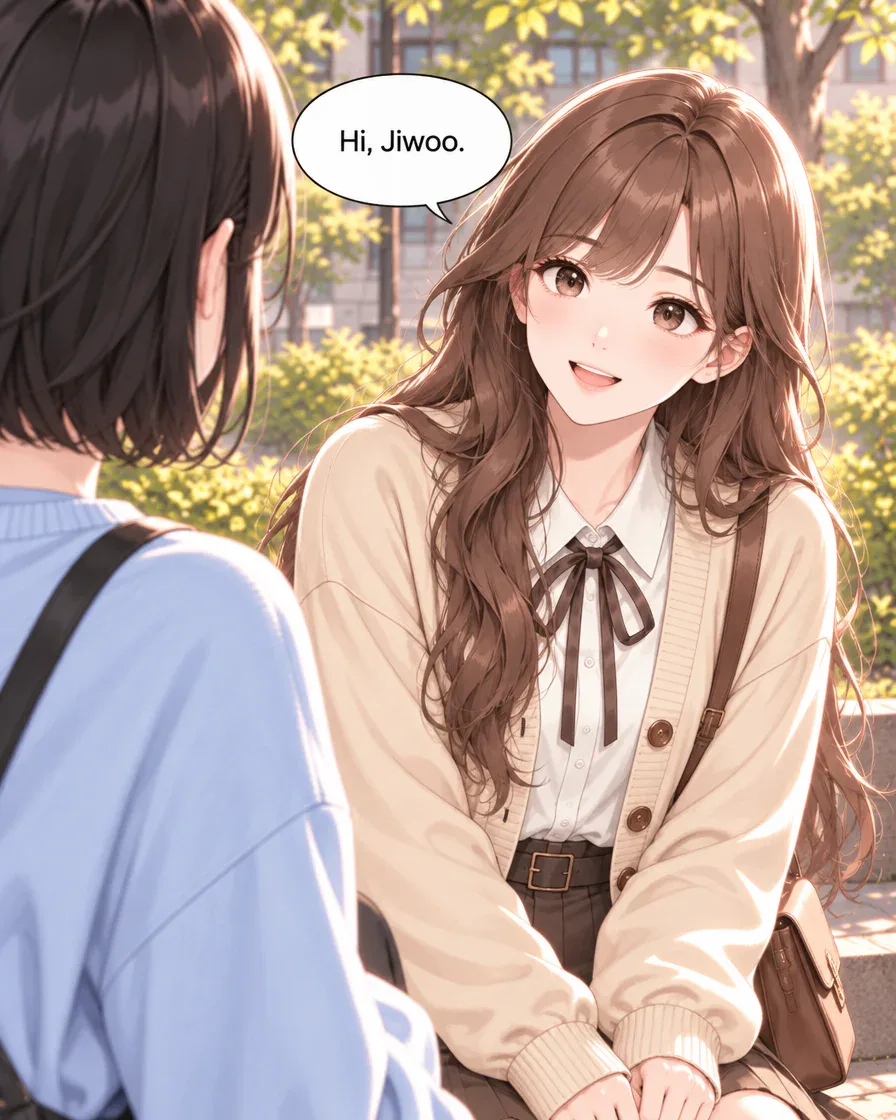
Panel 9 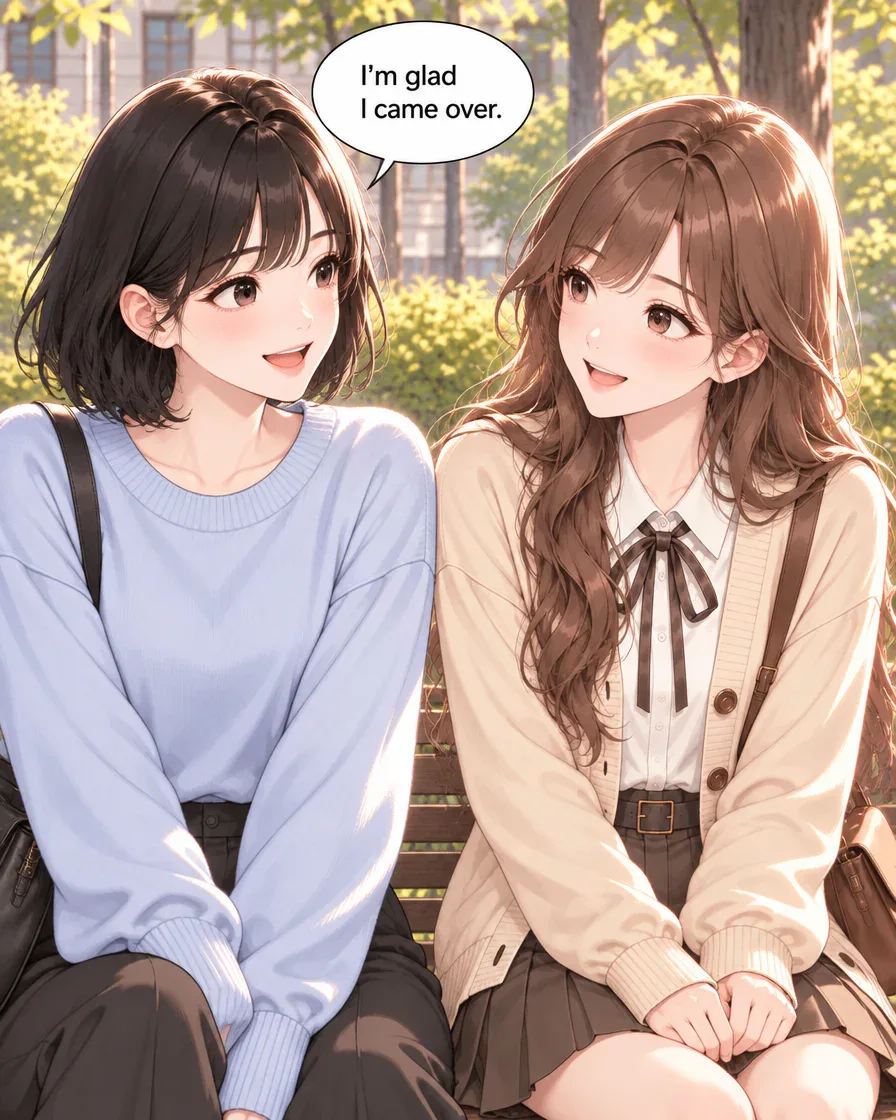
Panel 10 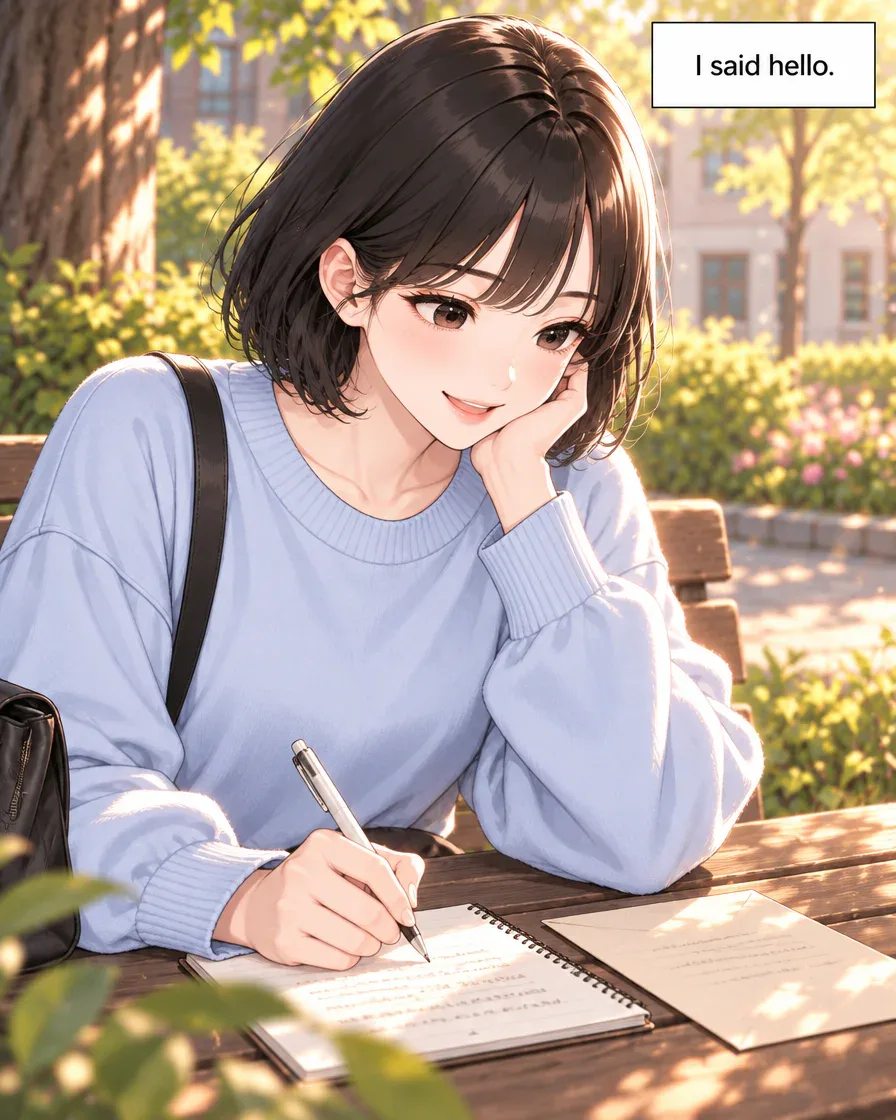
Panel 11 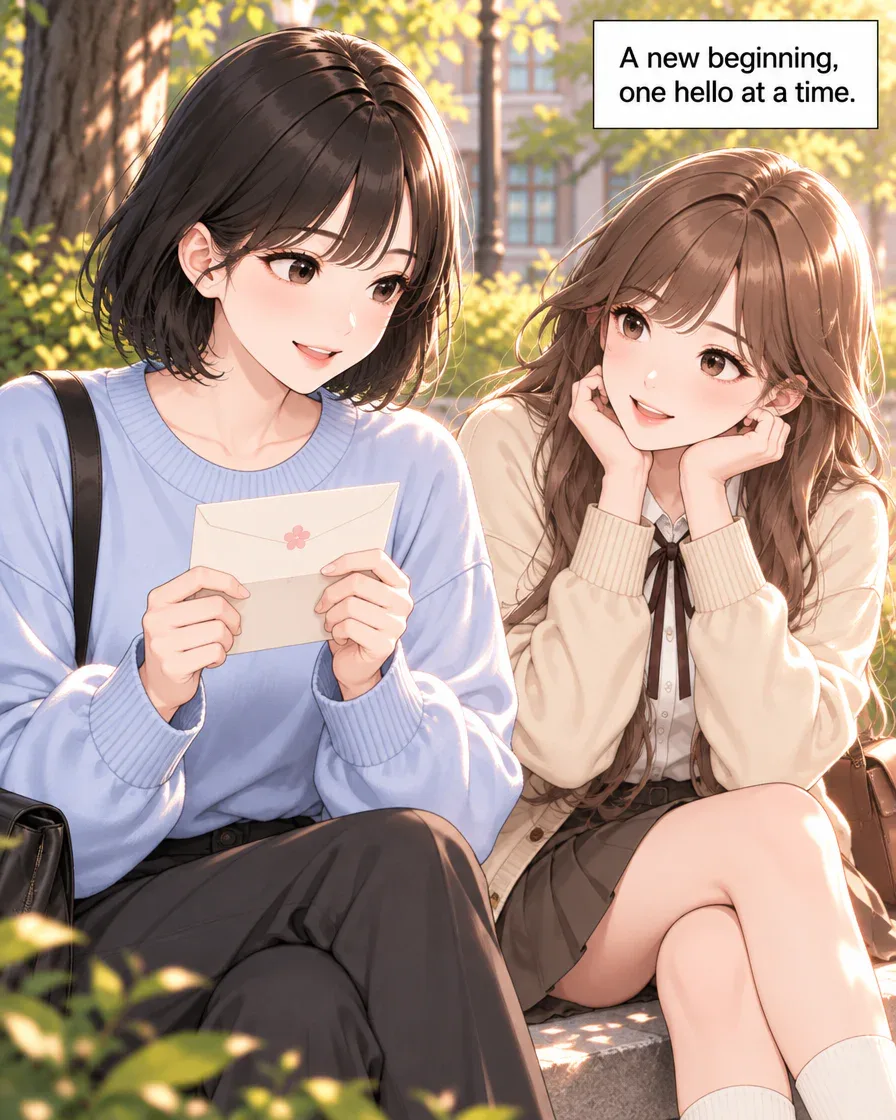
Panel 12
Request for your own version
Jiwoo finds a future letter, greets Minseo and writes back. Make 12 panels with short English dialogue.
Art style used: Webtoon
How this example was made
- Read one finished scene
The original English request produced the letter, greeting and reply shown here. Read the cast and finished events, then replace the request with a scene you want to write.
- Prepare the cast and plan
Use relevant saved references when available, check the new cast and scene order, and review the displayed quality, panel count and credit cost before drawing.
- Keep events separate from proposals
Compare the result with your character notes. Record what happened in the finished scene, then choose one unused idea for a possible next episode.
Inspired to tell your own story?
The 12-panel result above uses the original request. The four-panel practice uses a different request.
The button fills the Studio input so you can edit it before sending. Check the plan and current cost in Studio before drawing.
See webtoons by other creatorsExplore different art styles and stories in the community.Quick answer
- Start a character bible with the cast details and events you can observe in a finished scene.
- Keep those notes separate from proposed history and next-episode ideas, then compare each new plan and result with your chosen references.
“Just say hello.” Jiwoo gathers herself, walks toward Minseo and finally greets her. One small decision changes the scene. What might the same two characters do with the next moment?
The twelve-panel English example above was made in GenToon. Jiwoo finds a letter dated tomorrow, approaches Minseo and writes back after their greeting. We will build a small character bible from those finished panels, then mark possible continuations as proposals.
Start with the cast you can see, the conversation that happened and the questions the ending leaves open. You can use the same method for one completed scene from your own comic.
1. What can one finished scene tell you about a cast?
Jiwoo pauses over a letter, then walks toward Minseo. By the greeting, her uncertainty has become a visible choice. Start your character bible with that choice rather than inventing a complete biography.
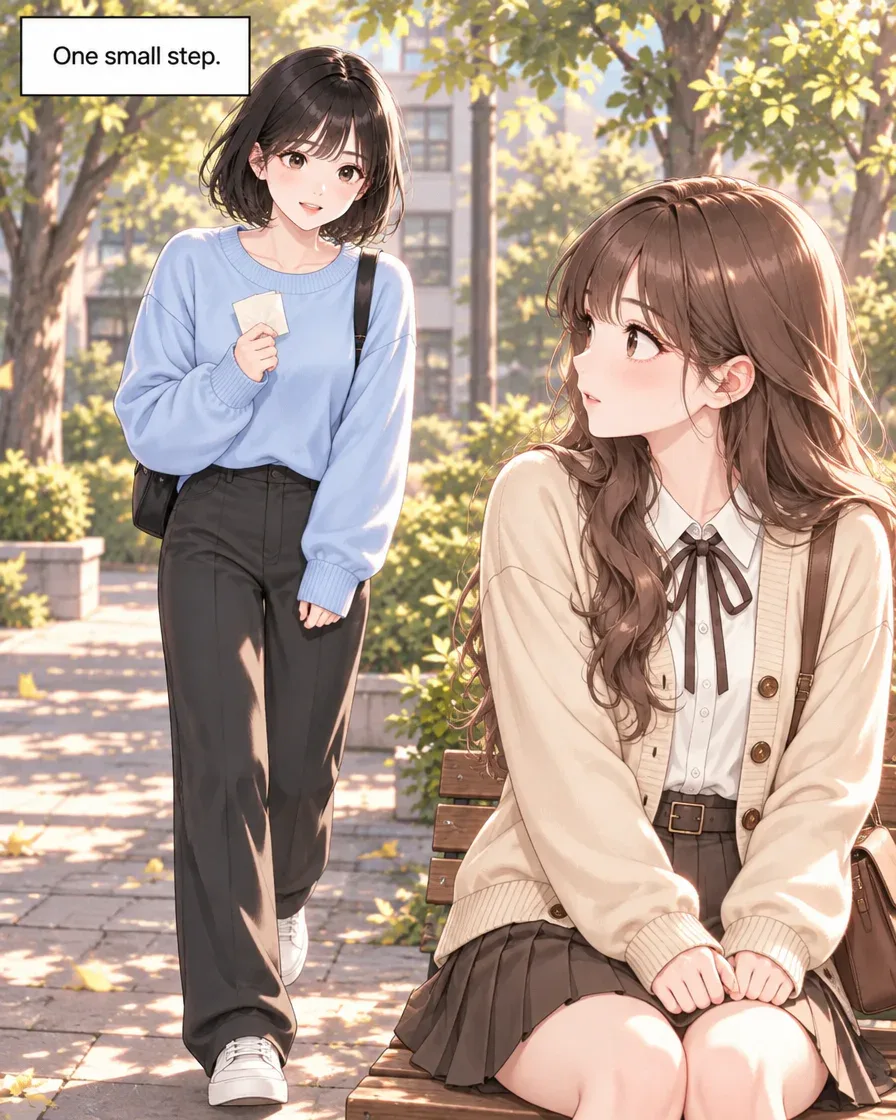
Look at both characters in panel seven. Jiwoo has a short dark bob, a pale blue sweater, dark trousers and a black shoulder bag. Minseo has long wavy brown hair, a cream cardigan, a white blouse with a dark bow and a brown shoulder bag. These are reference details you can compare with later panels.
This scene shows hesitation, a greeting and a response. It does not establish either character’s age, lifelong habits or relationship history. Choose any new background details deliberately when writing your own story.
2. What belongs in Jiwoo and Minseo’s character bible?
Keep the notes small enough to use while reading a panel. Separate what the example shows from choices you want to make for your own series.
| Note | Jiwoo in this scene | Minseo in this scene |
|---|---|---|
| Visual anchors | Dark bob, pale blue sweater, black bag | Long brown hair, cream cardigan, dark bow |
| Visible action | Finds the letter and approaches Minseo | Looks up and returns the greeting |
| Speech to compare | “Hi, Minseo.” | “Hi, Jiwoo.” |
| End of the scene | Writes a reply and smiles | Smiles beside Jiwoo |
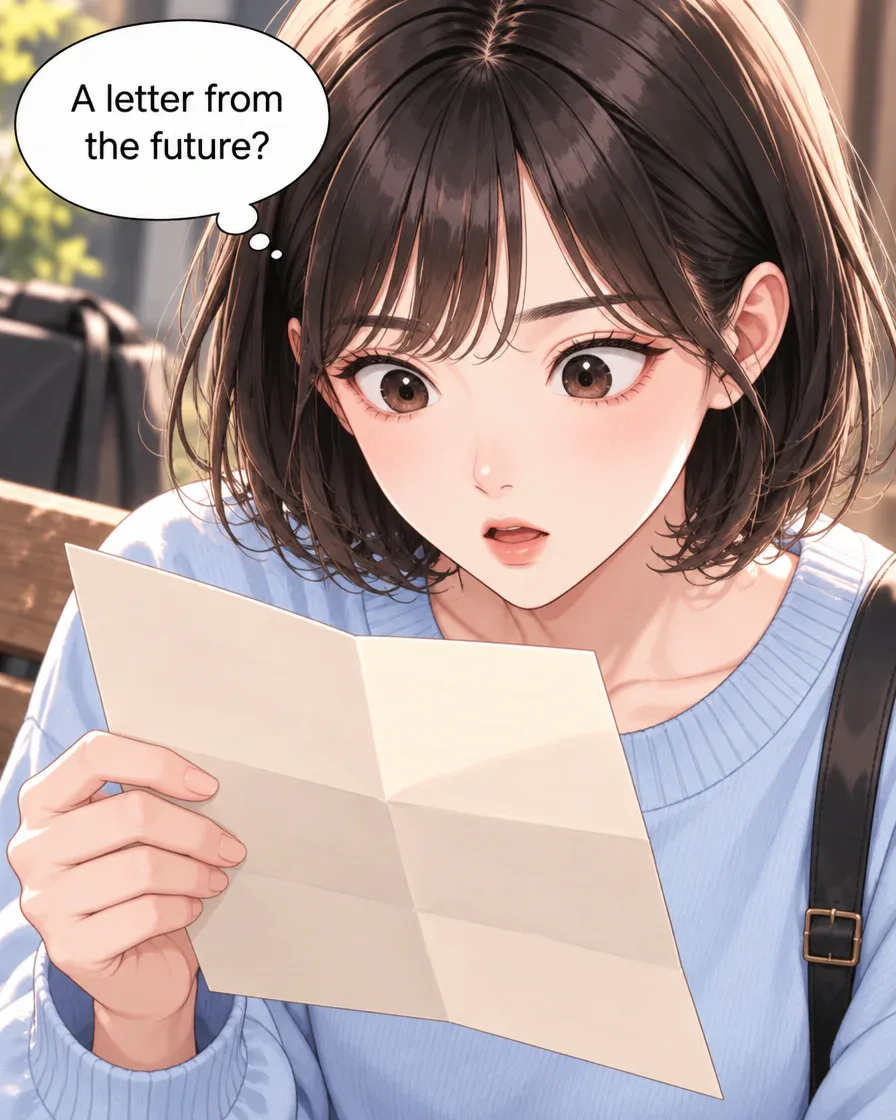
Jiwoo’s surprised expression over the letter is another useful reference. Keep the appearance notes distinct from an emotional state: surprise belongs to this moment, while the hair and outfit are details you may want to maintain.
The table is a writing aid you keep in your own notes. It does not automatically save a cast or create another episode in Studio.
3. What changed between the two characters?
Read the greeting before deciding how to describe the relationship. Jiwoo says hello; Minseo answers using Jiwoo’s name. Both smile, and Jiwoo says she is glad she came over. That is enough to carry into a next scene.
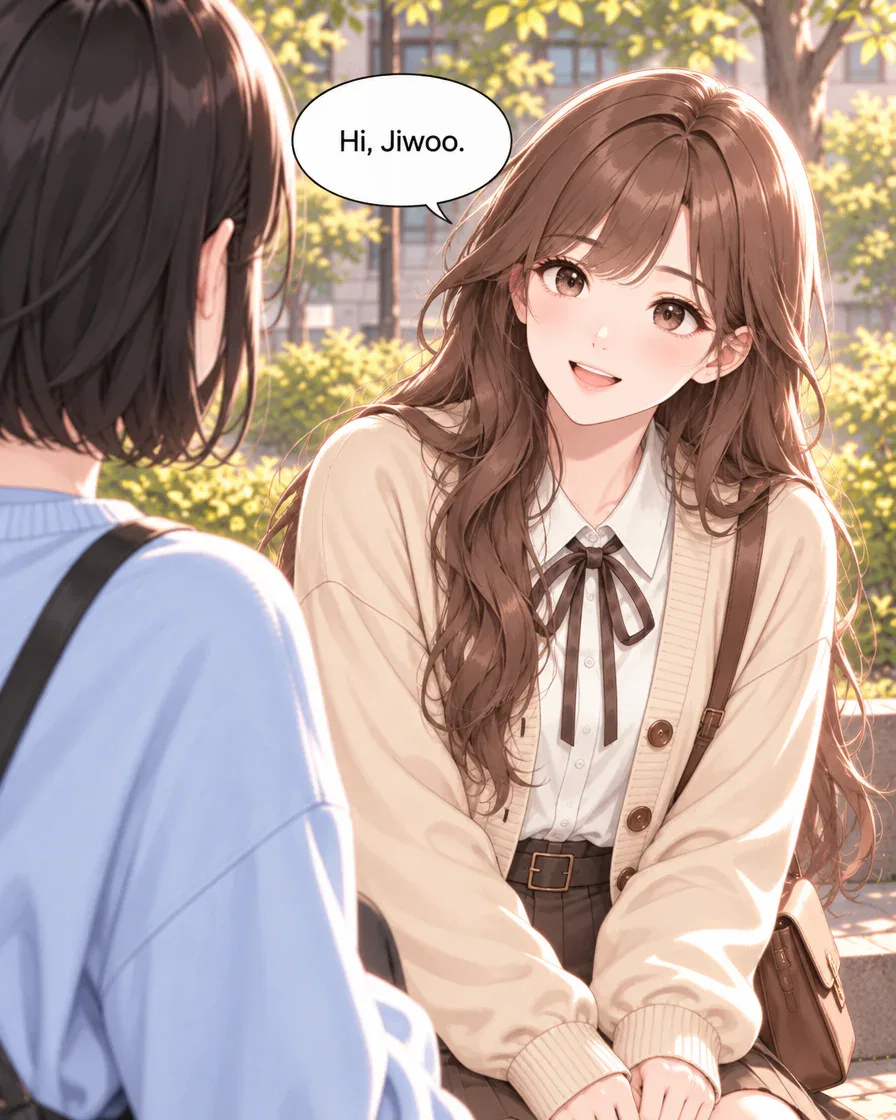
- Confirmed in these panels: Jiwoo approaches and they exchange greetings.
- Confirmed by the ending: the interaction has become warmer.
- Still open: how they knew each other, who sent the letter and what they will do next.
Do not label them longtime friends or a romantic couple because they share a smile. You can choose such a direction for a new story, but record it as a writing decision until it appears in a finished scene.
4. How does the original request become a plan?
The finished English example began with this request:
Jiwoo finds a future letter, greets Minseo and writes back. Make 12 panels with short English dialogue.
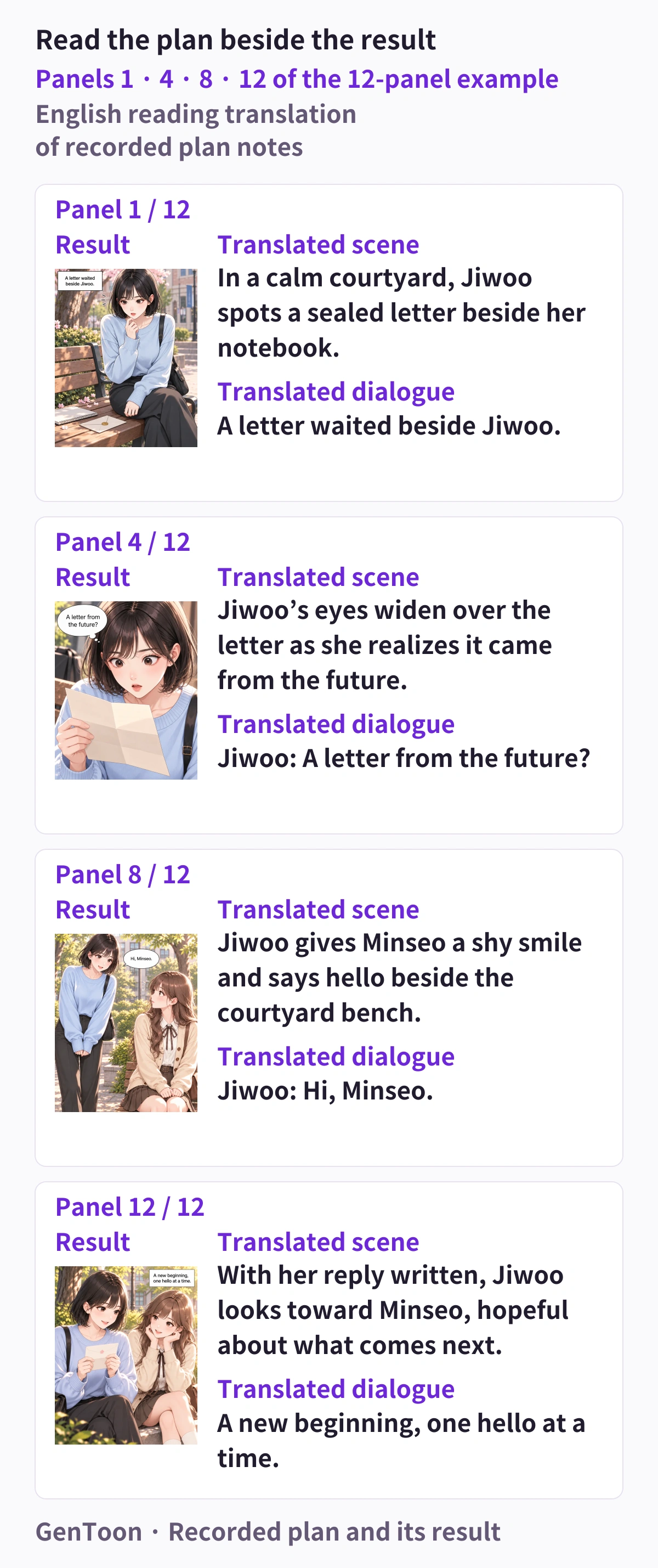
The figure pairs panels 1, 4, 8 and 12 with an English reading translation of the recorded plan notes. Read the scene description and planning dialogue separately from the lettering in the finished image. It is an explanatory figure, not a Studio approval screenshot.
The selected moments trace discovery, surprise, greeting and the ending. When planning your own cast, ask where a choice becomes visible and which response must follow it. Keep the full sequence in mind; the four selected panels are not the whole twelve-panel story.
5. How do you prepare your next scene in Studio?
This capture shows the completed English project reopened, with its original request pasted into the current input as an unsent draft. It demonstrates the input location alongside the finished panels.
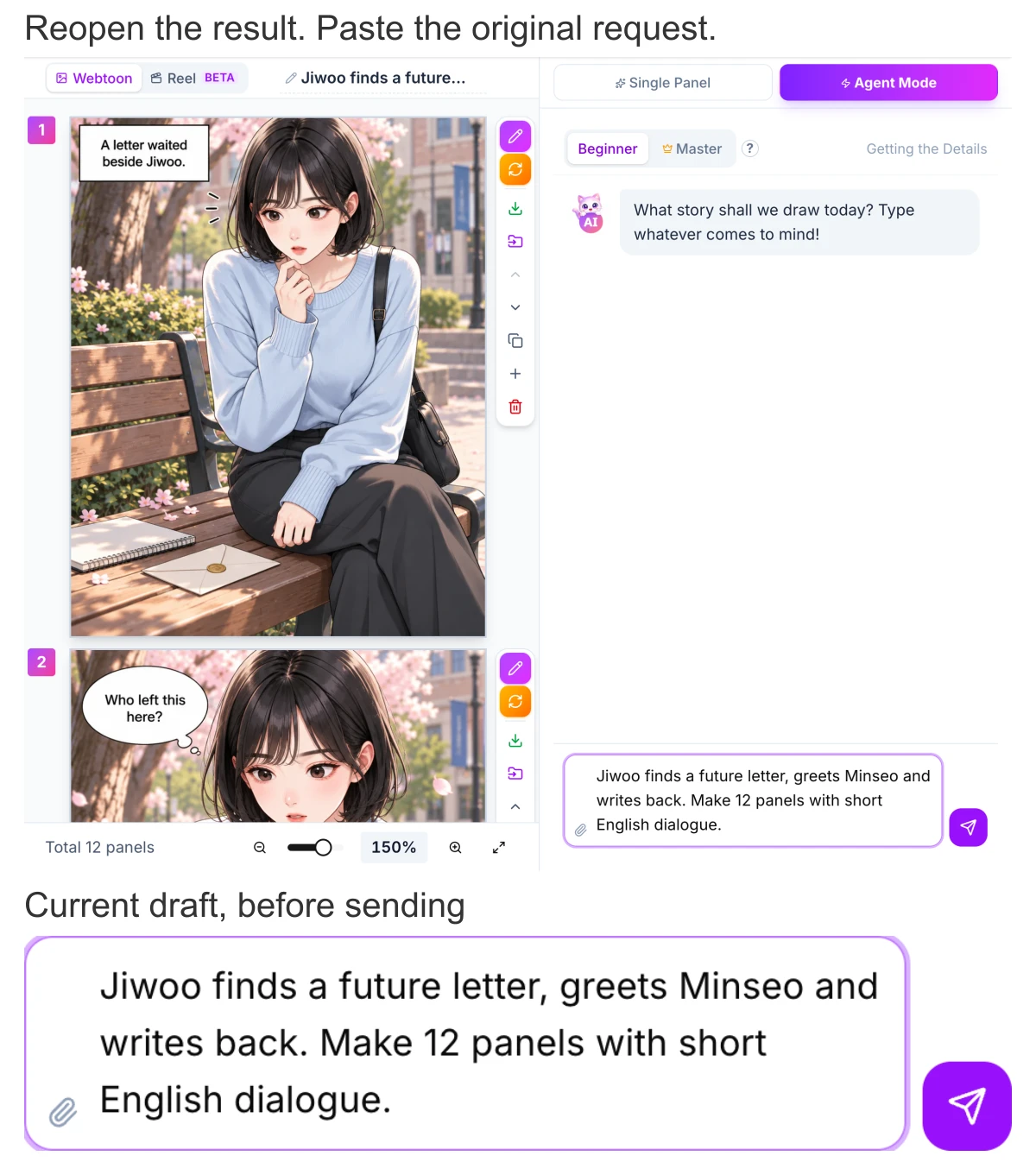
- Open GenToon Studio and read the original request. For your version, name your cast and the one choice this scene should show.
- If you already have saved character references, select the relevant ones. Check which characters appear in the new plan and include the visual details that matter.
- Review the scene order, dialogue, selected style and quality, panel count and displayed credit cost before drawing. If an automatic countdown appears and you need to revise, use its visible pause or change control.
The character bible gives you comparison notes. Read the generated result against them; finished features can still drift from a reference. This capture does not show a second episode being made.
6. What should you carry forward, and what stays an idea?
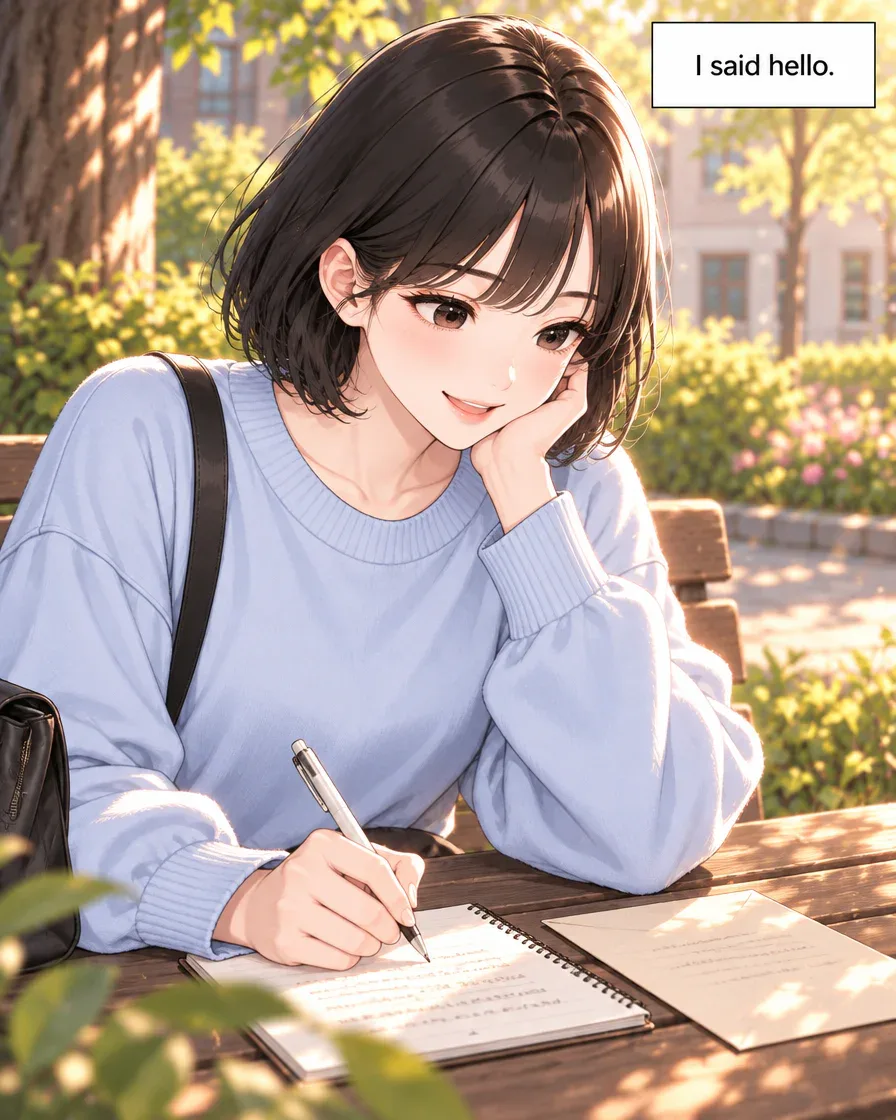
Jiwoo writes after the greeting. Save a short event note before brainstorming what happens next: “Jiwoo found a letter dated tomorrow, approached Minseo, exchanged greetings and wrote back.” The note records this finished scene without adding a sender or an unseen conversation.
Keep a separate list for possible continuations:
- Proposal: Minseo starts the next conversation, reversing who takes the first step.
- Proposal: Jiwoo decides whether to explain the letter.
- Proposal: another meeting tests whether a small greeting feels easier this time.
These are writing options, not generated episodes or scheduled projects. Choose one when you are ready to plan another scene.
Compare the cast, notebook and envelope with your chosen references. Small prop details deserve a review too. If a detail changes accidentally, describe the specific visual edit; if a decision is missing, revise the plan or dialogue first.
7. How do you make the next episode your own?
The ending leaves a question worth writing: after that first hello, who will take the next step? Your story can keep the same cast while changing the decision they face.
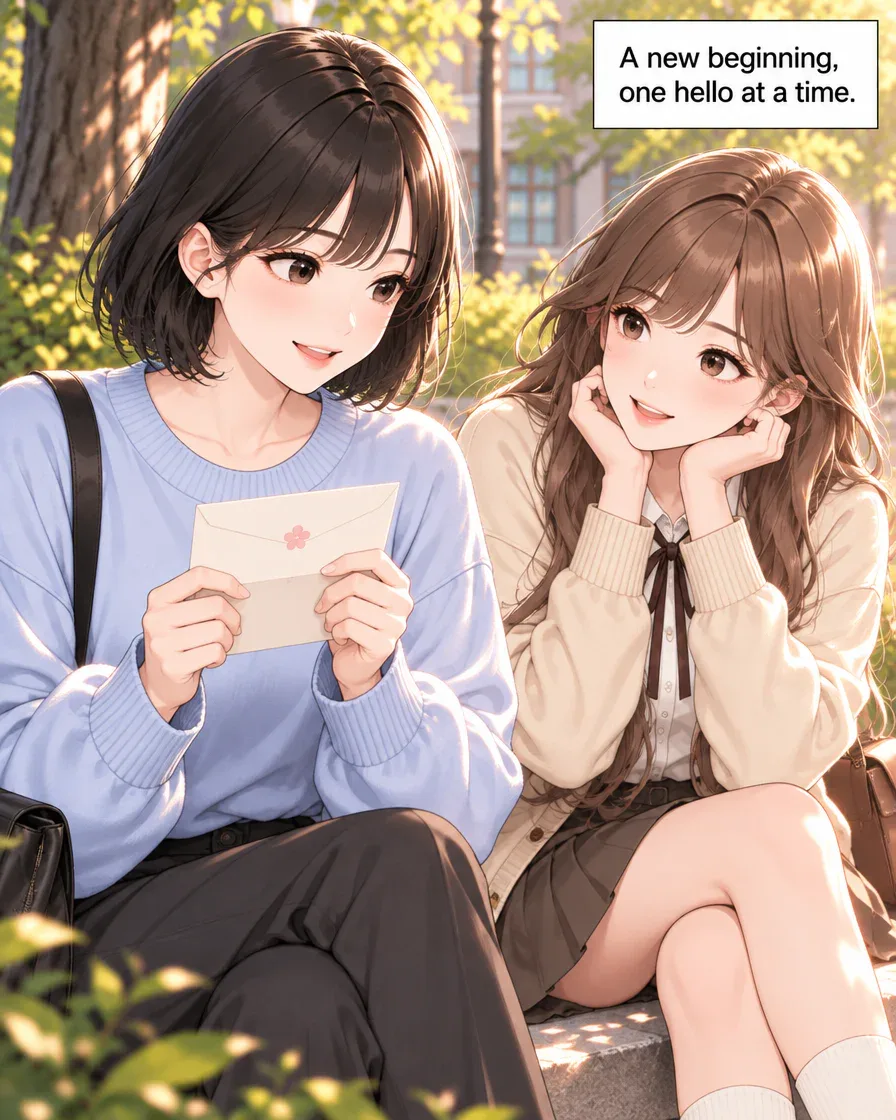
In your own notes, put confirmed events above unused ideas. Write one new situation and the change you want by its ending, then take that scene to Studio. If you use saved references or a world you have already created, check that the new plan uses the intended cast and context.
Read the result on a phone. Ask a willing reader a specific question, such as “Could you tell why she approached?” You can browse other stories in the community for examples of short dialogue and small character choices.
Keep the reference details and the new event after you finish. Once you know the drawing and revision work you want to make, compare the current plans. No second episode has been generated for this guide; the next choice is yours to write.
Frequently asked questions
How much backstory belongs in a character bible?
Begin with the details your next scene needs. In this example, the cast’s appearance, greeting and reply are visible; ages, earlier history and the letter’s sender are not established. Add new background as an intentional writing choice.
Will a saved character look identical in every generated panel?
A reference helps guide generation, but features and props can still change. Compare each finished panel with your chosen cast reference and request the specific correction you need.
Can the same character grow between episodes?
Yes. Keep appearance notes separate from confirmed events and changes in the relationship. Here, Jiwoo’s hesitation leads to a greeting. A later scene can build on that event without repeating it as though nothing happened.
Is a second Jiwoo and Minseo episode already generated here?
No. This guide uses one completed twelve-panel English scene. The continuation ideas are writing proposals, and the Studio capture shows its original request pasted into a current unsent draft.